

Elementor Review

Product Name: Elementor
Summary
A powerful visual website builder to design fast and intuitive WordPress websites. I use Elementor to create professional and responsive layouts without switching between the editor and front end. Check out my complete design experience.
I have been blogging and designing websites for more than a decade. With the help of innovative resources available today, WordPress can power almost any kind of website other than simple blogs.
In my earlier blogging phase, I spent a lot of time in editing the theme files, adding custom CSS, and using shortcodes for the site appearance; however, page builders have changed the way I design websites.
Among the page builders I have used, Elementor is the one I have used most effectively. Initially, I struggled to navigate the settings, but now I have learned to use them effectively.

So, this is not a review written after installing this page builder yesterday and testing a few widgets. I have been working with Elementor for more than a couple of years to build my own blogs and client websites.
Recently, I built a website for my client, and he is very satisfied with the design, elements used and navigation path I provided. The visual page builder was really helpful in making this personal website.
So, in my Elementor review, I will tell you what I like, where I struggled, how it saves my time, where beginners like you can go wrong and whether you should choose it for your new website in 2026.
Let’s start with a basic question!
Table of Contents
What Is Elementor?
Elementor is a visual website builder for WordPress that lets you create and customize pages without writing HTML and CSS yourself. The basic idea is simple.
You open a page, work visually on the canvas, add widgets or containers, change spacing, typography, colors, and layouts, and see the result immediately.
However, visual page builders are everywhere! Why Elementor?
In my opinion, its biggest strength has never been just the drag-and-drop editor.
It is the level of control you gain once you start building an entire website rather than just designing a single landing page.
I can work on:
- Pages and landing pages
- Headers and footers
- Blog post templates
- Archive pages
- WooCommerce layouts
- Popups
- Forms
- Dynamic content
- Reusable templates
- Responsive layouts
- Custom design systems
- Blog listing layouts
- Custom post displays
The current Elementor version includes Flexbox and Grid Containers, Loop Grid, performance features and the newer Atomic Editor approach.
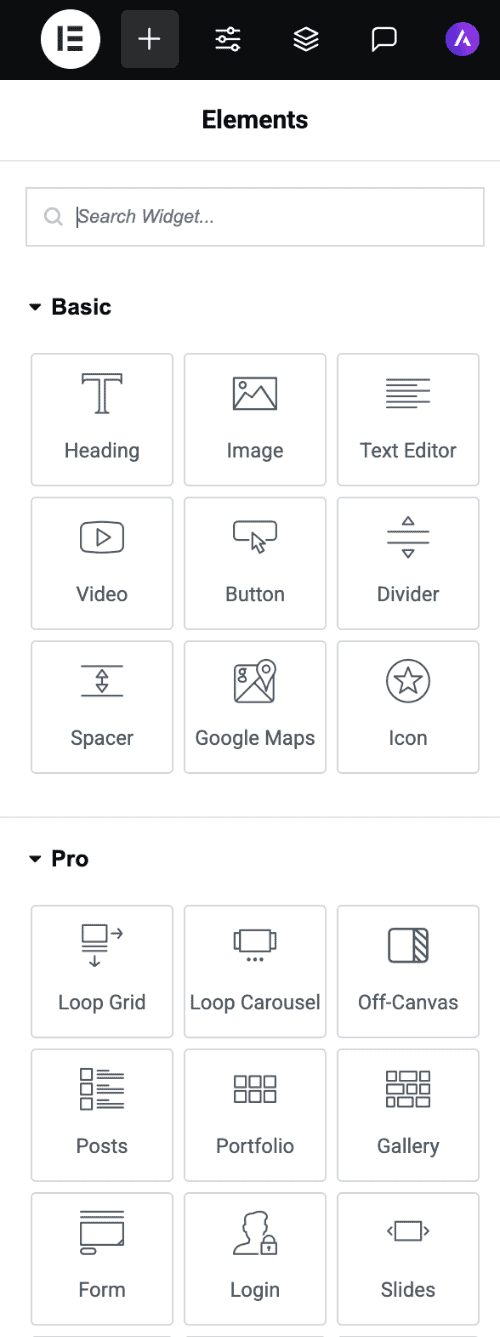
These features make Elementor more than a page designer. For me, it is closer to a visual website-development platform within WordPress.
Why I Started Using Elementor?
5 years ago, WordPress themes were more restrictive. Whenever I needed a specific layout, I had to work within the theme’s structure or write custom CSS code.
As websites became more visual, these limitations became more obvious. Moreover, I wanted more control over individual pages for my every project.
That’s why Elementor caught my attention. I can work visually and change a layout without touching theme files.
And most importantly, I can do experiments! When I design a website, I don’t always know the perfect layout before I start.
Sometimes I need to see a section on the actual page before I know whether it works. With Elementor, I can make that decision quickly.
My Favorite Thing About Elementor
Visual Editing experience – It is my favorite thing about Elementor. I can look at a page and immediately understand what needs to change.
Maybe the heading is too large, the content area is too wide, there is too much space between the two sections, an image needs to be smaller or a button needs more contrast. I can make the adjustments and see the result immediately.
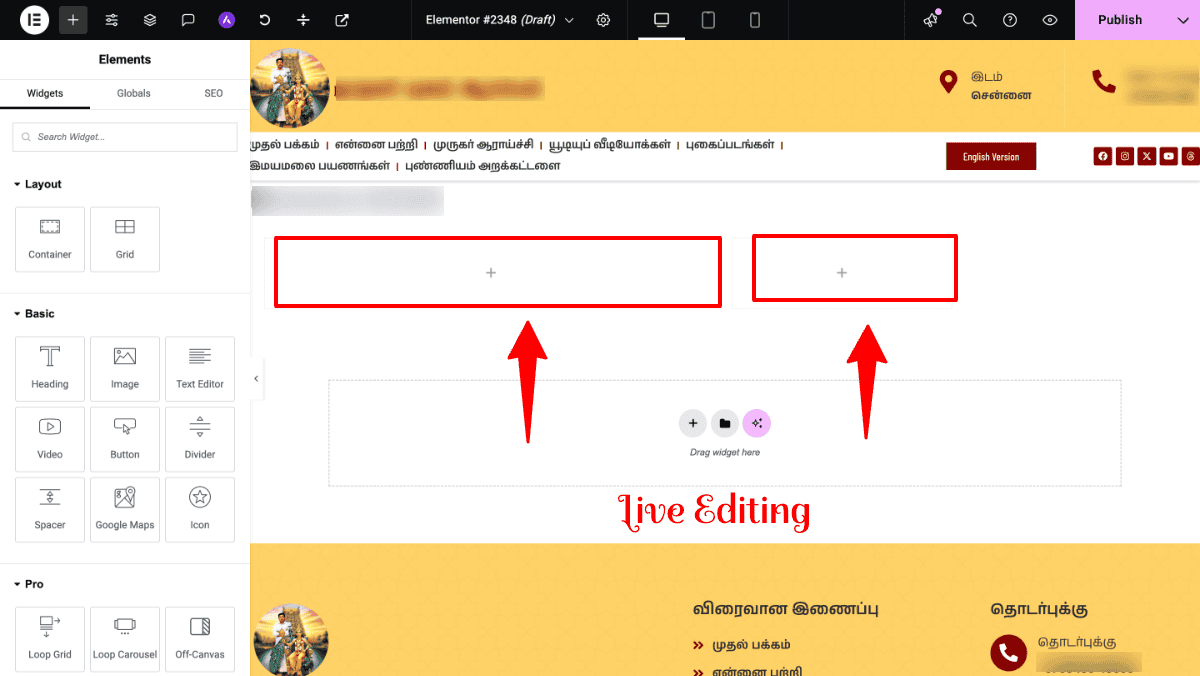
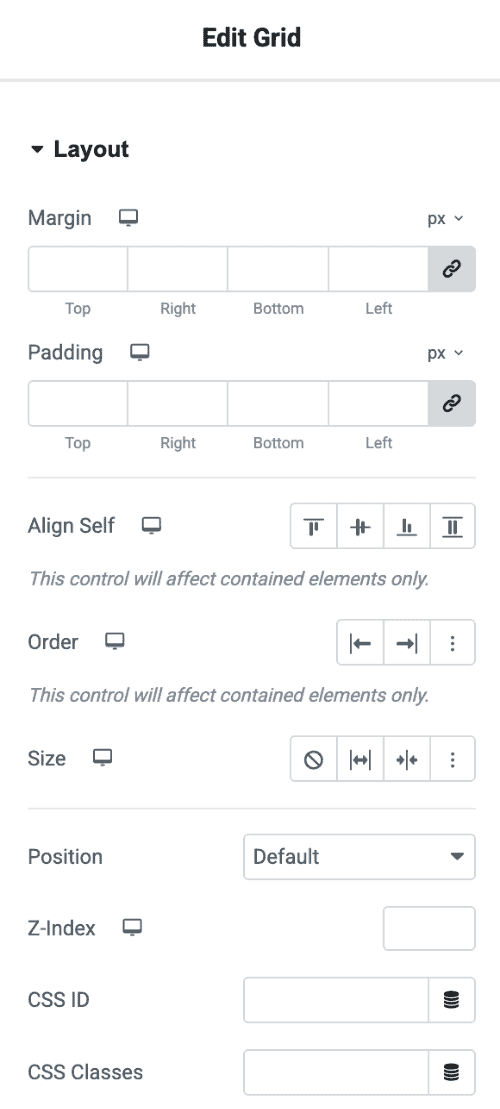
Besides, Elementor makes it easy to keep changing things. I can adjust the small details like changing the padding, font size, and border radius.
Sometimes, I used to remind myself that the website is for visitors, not for me to admire the preferences provided in the Elementor editor.
Elementor Gives Me More Freedom
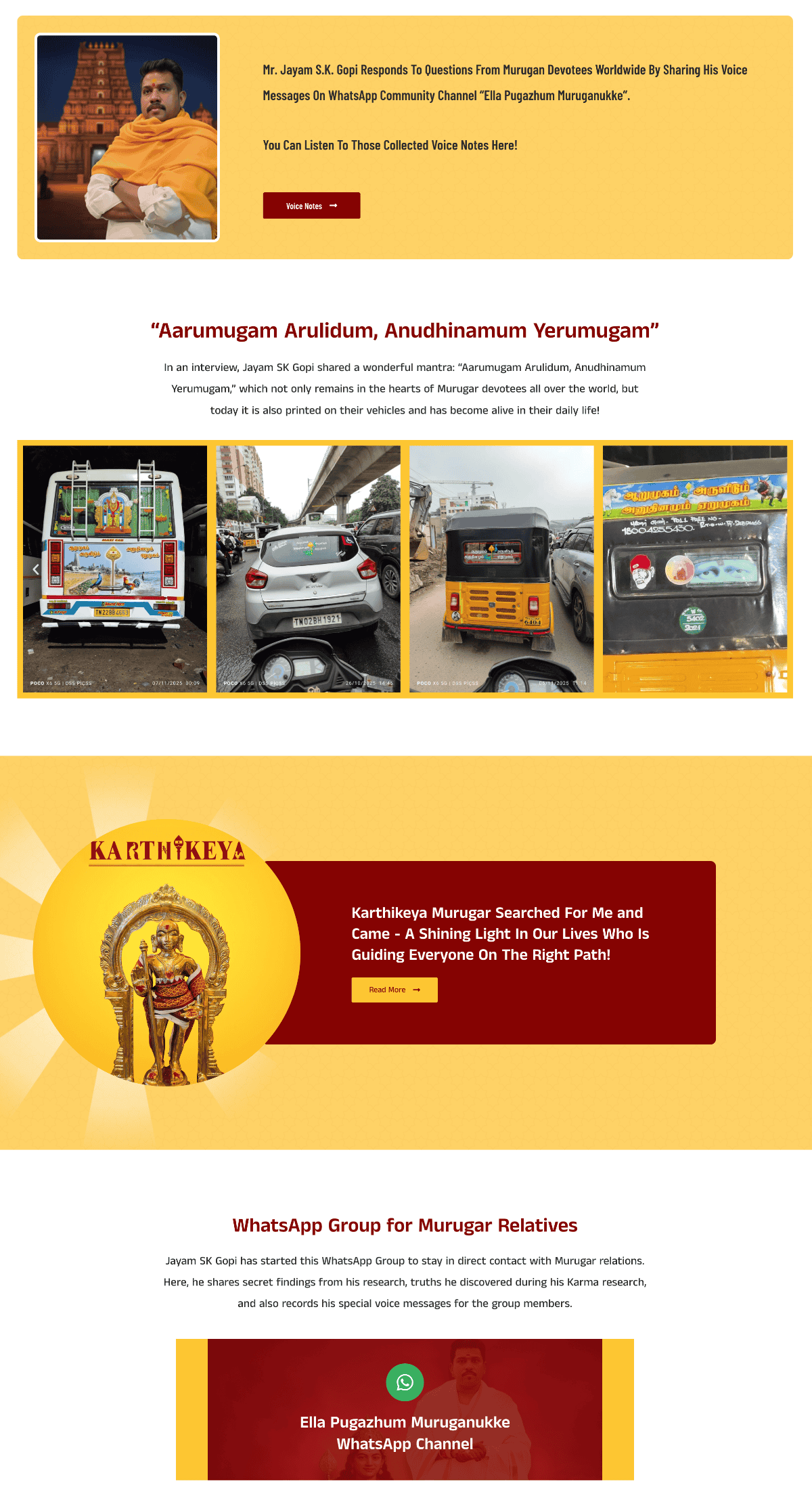
I don’t want every website I build to look like a slightly modified version of the same theme. For my clients, I need something more specific, especially the homepage.
This was the case with the client website I built.
The website had to bring together different aspects of his life and interests rather than simply displaying a list of blog posts.
The challenge was to make these different areas feel connected. I didn’t want visitors to feel as though they were jumping between completely different websites.
Elementor gave me the flexibility to approach the homepage and internal pages around the content rather than around a fixed theme layout. It makes a lot of sense.
Before I start working, I think about:
- What is the purpose of the page?
- What does the visitor need to see first?
- What should they do next?
- How much content should appear in each section?
- How should the page behave on mobile?
- Which elements actually deserve visual emphasis?
Once I got answers to these questions, Elementor became much easier for me to use.
Elementor Containers Changed My Workflow
The introduction of Flexbox Containers changed the way I approach layouts. Instead of thinking about columns, I can focus on the relationships between elements.
What is the parent container? How should the content be aligned? Should elements sit next to each other or stack? How much space should exist between them?
I felt how modern responsive layouts are actually designed. For me, this is more than a new Elementor feature. It changed how I think about building pages.
Containers allow widgets to be organized using modern flexbox-style layout controls, while Grid Containers are useful for more structured row-and-column layouts.
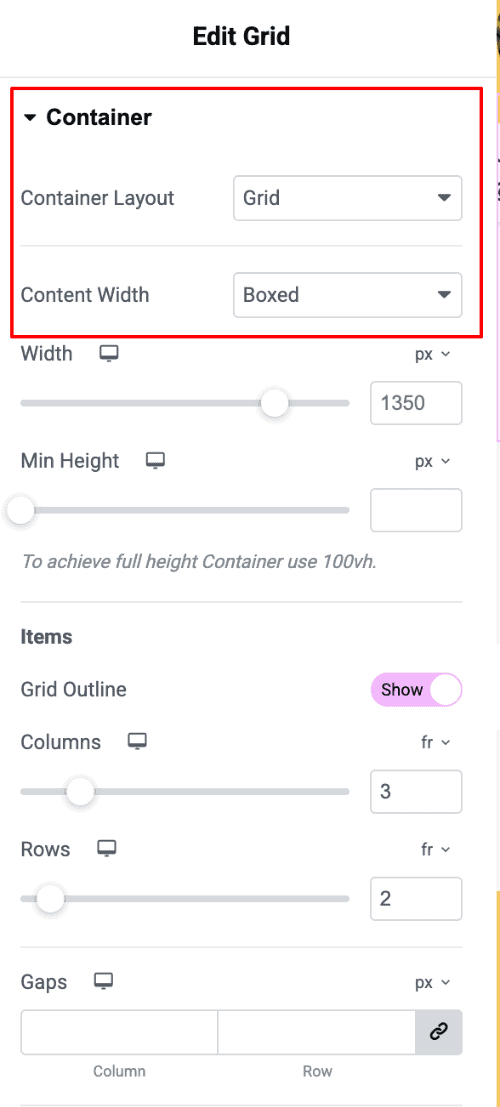
Elementor now positions containers as the primary way of organizing page layouts, replacing the older section/column/inner-section model.
For my workflow, the biggest advantage is not simply that containers are “new.”It is that they make me think about layout more logically.
Instead of asking: Which column should I put this widget in?
I can think: What is the parent layout, and how should these elements behave inside it?
This is a much better way to approach responsive web design.
Responsive Design
One mistake I see often with page builders is treating mobile design as something that happens automatically.
It doesn’t! A desktop design can look excellent and still be frustrating on a phone. I pay particular attention to this when building Elementor websites.
While working on my website, there were sections containing text, photographs and video content.
The desktop layout could comfortably accommodate these elements. Mobile was different.
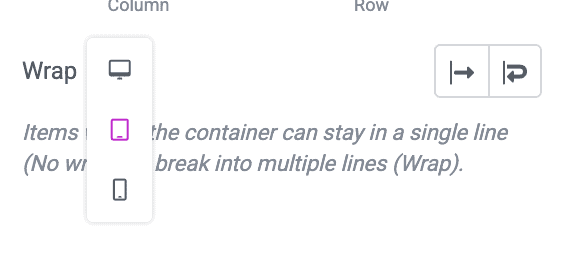
I had to look at the spacing, heading sizes, image proportions and the order in which information appeared.
Sometimes the right answer was not to make everything smaller. It was to simplify the layout. And yes, it is an important distinction.
Responsive design isn’t simply about shrinking a desktop website. It is about making the website work properly on a smaller screen.
Elementor gives me the controls to make those adjustments. My experience guides me on how to do it better!
Theme Builder Is a Big Advantage
This feature makes Elementor much more useful for me than a simple page builder. I don’t always want to design individual pages. I want to design the website’s structure.
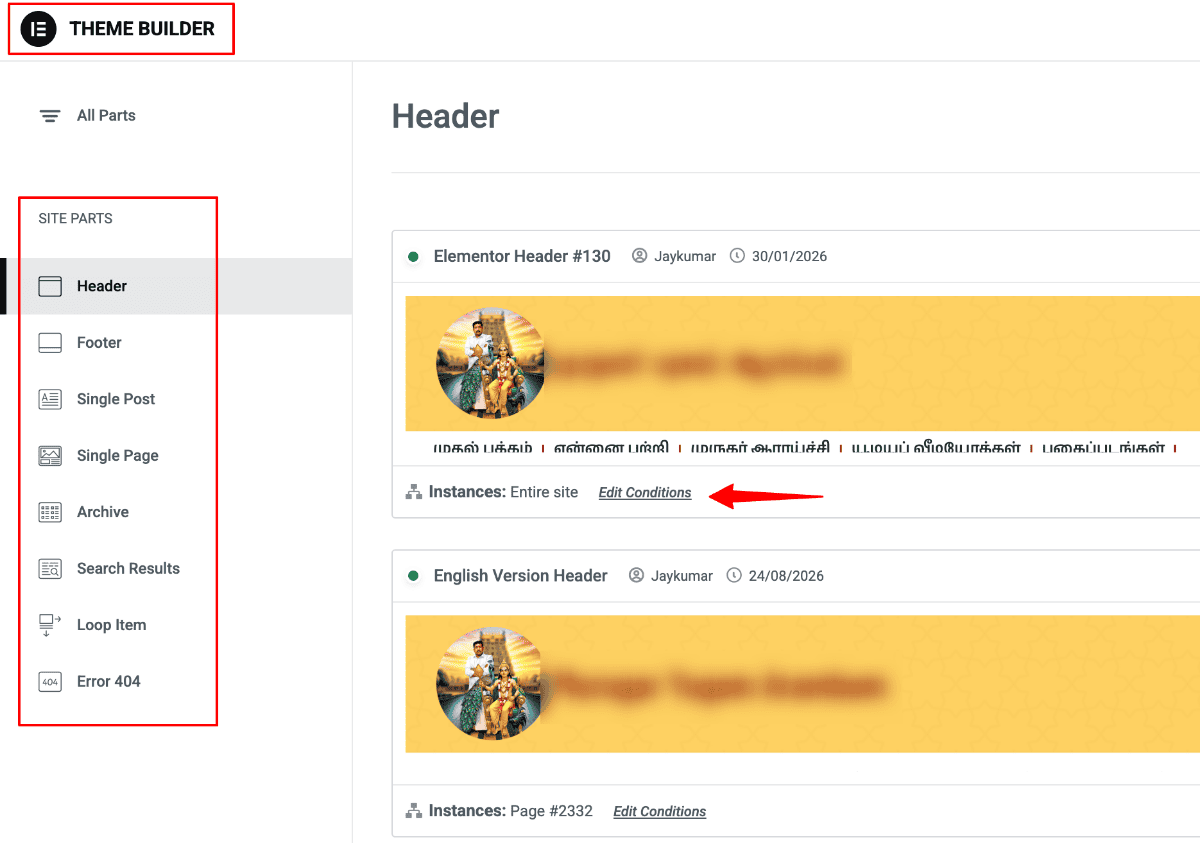
With Theme Builder, I can work with templates for Blog posts and almost everything. This becomes useful when managing a content-heavy website.
Imagine having hundreds of articles. I don’t want to open each article and design it separately. I want the content to stay in WordPress while the template controls how it’s presented.
That separation between content and presentation is one reason I like using Elementor for blogs.
Useful for Bloggers
As a blogger, I look at Elementor differently from someone who only builds landing pages.
For me, the important question is not: Can Elementor create a beautiful homepage? Almost every modern page builder can do that.
The more important question is: Can I build a useful content website around it?
For a blog, I may want:
- A custom homepage
- Featured posts
- Category sections
- Related articles
- Author information
- Newsletter section
- Archive layouts
Elementor gives me control over many of these areas. This is where features such as Loop Grid become useful.
This feature lets me create a reusable design for individual content cards and then automatically populate the grid with dynamic WordPress content.
For example, I can create a post card containing:
- Featured image
- Category
- Post title
- Excerpt
- Author
- Date
- Read-more link
Then use that design across a blog listing. This gives me considerably more control over how content archives look.
It also means I don’t have to accept whatever postcard design my WordPress theme happens to provide.
If you are a professional blogger, it is a meaningful advantage.
My WooCommerce Design Experience
I recently used Elementor to design a basic WooCommerce website for my client. My focus was not just to make the store look attractive, but to make the buying journey as simple as possible.
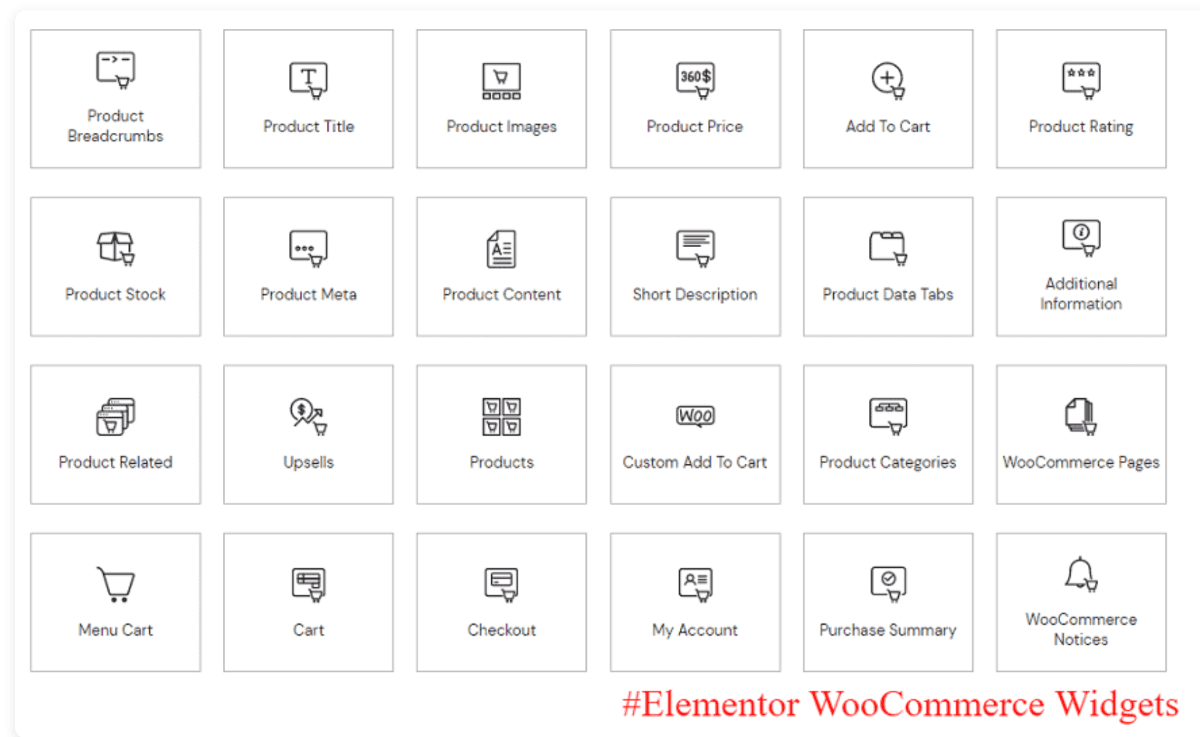
I designed the product pages with nice product images, clear pricing, detailed product information, and prominent Add to Cart buttons.
I also created product sections on the homepage to bring attention to important products and make it easier for visitors to discover them
From my experience, small design decisions can make a noticeable difference in an online store.
I kept the layout clean, reduced distractions, and made sure the important information was easy to find, specifically on mobile devices.
Elementor gave me the flexibility to make these changes visually, without writing any custom code.
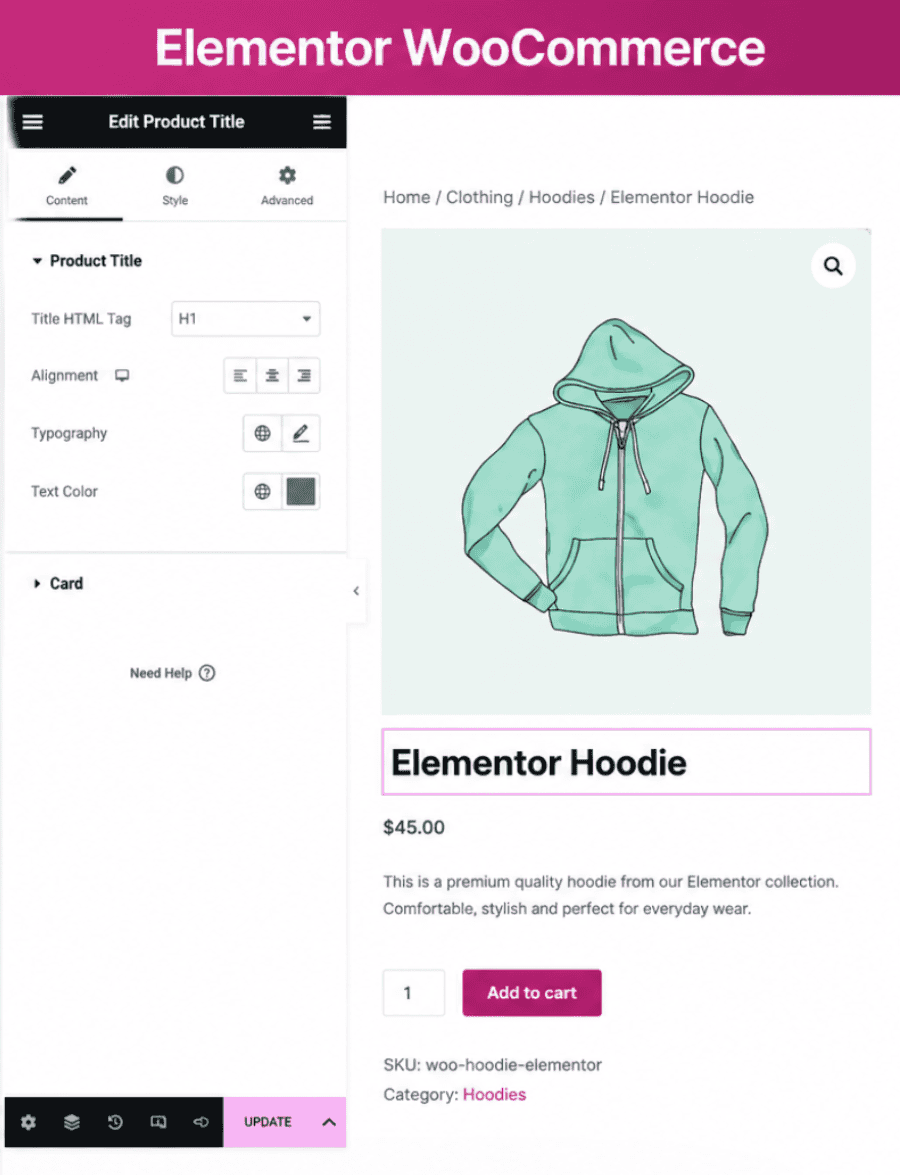
For this project, the biggest advantage was being able to design the entire shopping experience around the customer’s journey.
Elementor and SEO
Let me address the most common question: Is Elementor good for SEO?
My answer is slightly different from other Elementor reviews. It doesn’t make your content rank simply because you used Elementor.
Google doesn’t look at a website and decide, “This was built with Elementor, so let’s rank it higher.”
SEO still depends on
- Search intent
- Helpful content
- Topical coverage
- Keyword research
- Internal linking
- Site structure
- Technical SEO
- Page experience
- Website authority
- Trust and experience
What Elementor gives me is control over the content presentation. This is valuable in SEO.
I can create a clean hierarchy, make content easier to read, create better navigation, and build responsive layouts.
Is Elementor Slow?
I often see this criticism!
My answer: It depends on how the website is built.
I wouldn’t say Elementor automatically makes every WordPress website slow. And I also don’t pretend that page builders have no impact on performance.
A website can become heavy because of:
- Poorly optimized images
- Too many plugins
- Excessive animations
- Third-party scripts
- Large fonts
- Video embeds
- Poor hosting
- Unnecessary widgets
- Complicated page structures
So I don’t judge Elementor’s performance in isolation. I look at the complete website. I have become much more conservative with design over the years.
If a section or widget doesn’t add anything useful to the page, I question whether it needs to exist. I also pay attention to how many plugins are installed.
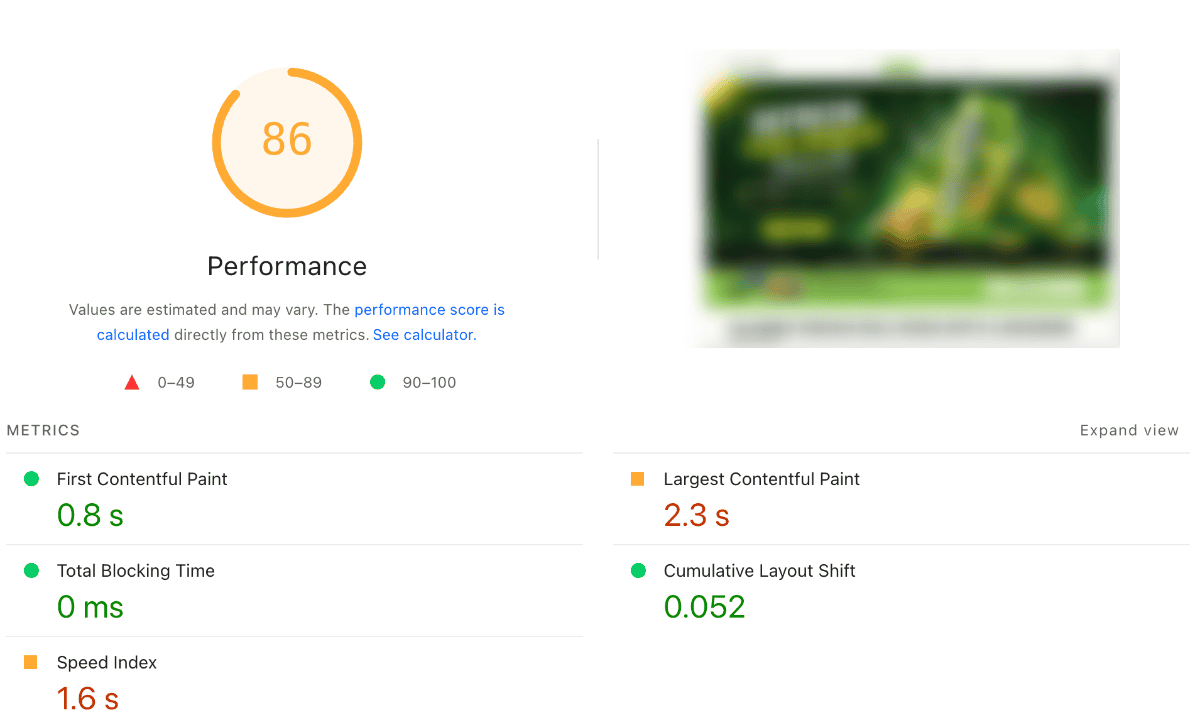
This is especially important with Elementor because it is tempting to add extensions whenever you want another design feature. These design practices have helped me build fast Elementor sites.
Elementor itself has also made significant performance changes over the years, including DOM optimization, CSS improvements, optimized image loading and element caching.
The current performance documentation includes features such as optimized image loading, lazy-loading background images, inline font icons, optimized control loading and element caching.
Elementor Free vs Elementor Pro
I’ve used both the free and Pro versions of Elementor, and I don’t think everyone needs to upgrade to Pro.
When you build a simple blog, personal website, or basic business website, the Elementor free version is more than enough. You will get the core visual editing experience and can create attractive pages.
However, if you need to make a customized or conversion-focused website, get Elementor Pro, as it will be more useful. The additional features will give you greater control over the overall website rather than just individual pages.
Some of the Elementor Pro features I find most useful include:
Theme Builder – Create custom headers, footers, single post templates, archive pages and other theme parts.
Dynamic Content – Pull content dynamically from WordPress and use it in custom designs.
Forms – Build and customize contact, lead-generation and other forms directly inside Elementor.
Popup Builder – Create popups for announcements, email signups, promotions and other website interactions.
Advanced Custom Templates – Build reusable templates and apply them across different parts of the website.
WooCommerce Builder – Get greater control over WooCommerce product pages, shop layouts, cart and other store elements.
Global Design Controls – Maintain consistent fonts, colors and other design settings across the website.
Custom CSS and advanced styling options – Useful when I need more control than the standard design settings provide.
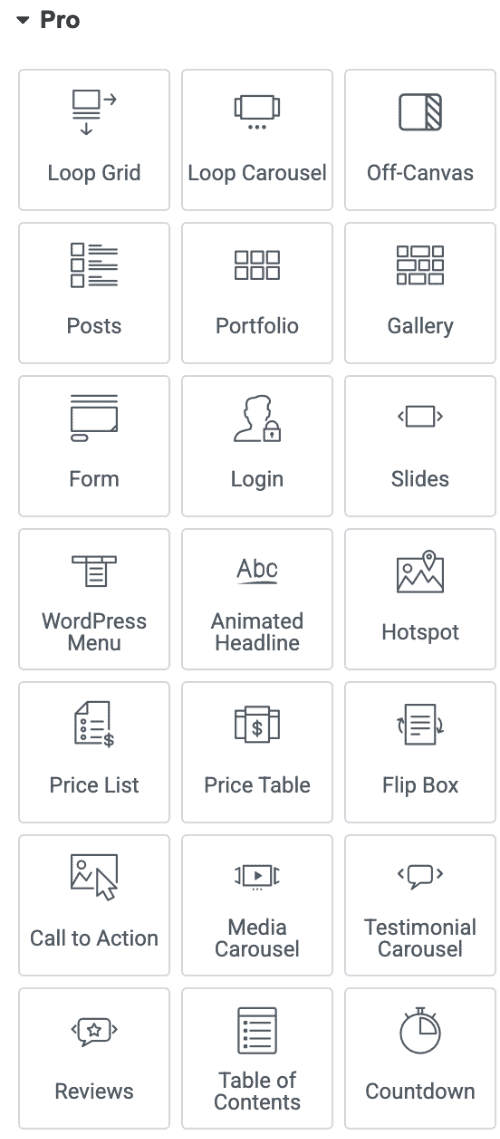
So, my approach is simple: if your website is basic, start with Elementor Free. If you find yourself needing more design control and advanced functionality, that’s when Pro starts making sense. You don’t need to pay for features you’re not going to use.
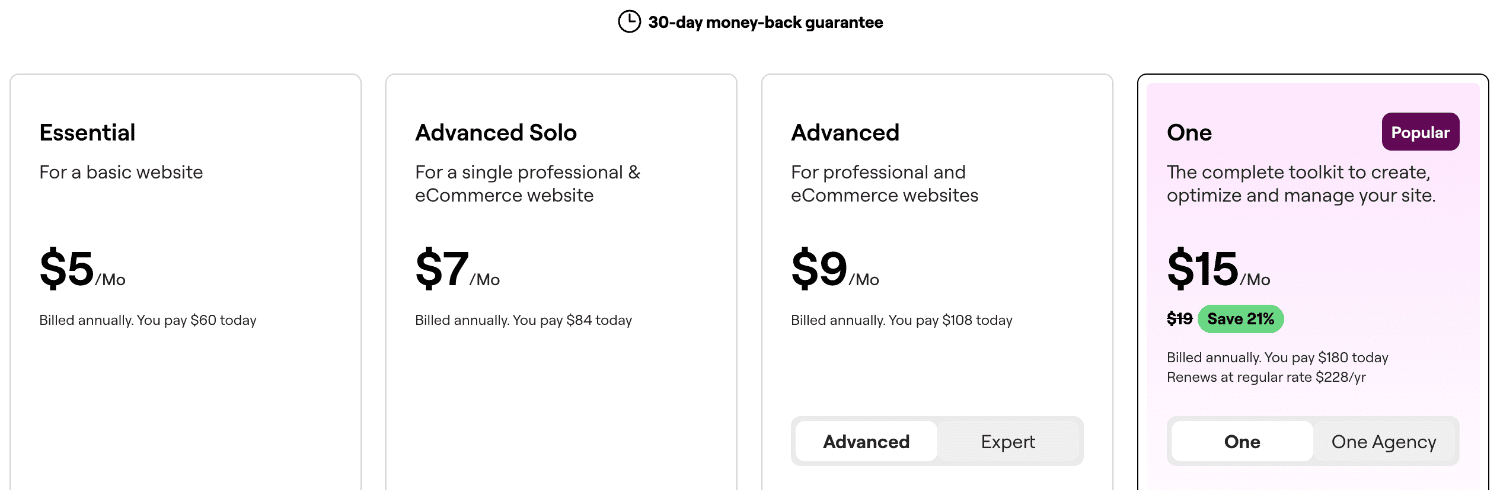
To get the premium version, look at the latest pricing details for the latest version. You must also check the Elementor promo code to grab the discounts.
What I Don’t Like About Elementor?
No honest Elementor review would be complete without mentioning a few things that can be frustrating. The biggest one for me is the number of options.
Elementor gives you a lot of control, but that can also make the interface feel overwhelming, especially when you’re new to WordPress or visual website builders.
There are widgets, settings, responsive controls, styling options, layout controls, templates, global settings, and other things to learn.
When I first started working with Elementor, I found several options that can slow down the process. Also, the flexibility can overwhelm beginners.
Besides, it has made significant changes to its generated markup and DOM over time, so custom CSS that relies heavily on specific internal wrapper classes can require attention after major changes.
Elementor 4: Systematic Way of Building Websites
Elementor 4 is interesting as it is moving beyond the traditional “drag a widget onto a page” approach.
After working on several websites, I’m thinking less about individual pages and more about design consistency across the entire website.
For example:
- The same button style across different pages
- Consistent spacing between sections
- A defined typography system
- Reusable content-card designs
- Consistent colors and variables
- The same responsive behavior across devices
This is where I find Elementor’s newer approach interesting. Concepts such as Classes, Variables, and Components encourage me to think about the website as a complete design system rather than a collection of individual pages.
If you are a beginner, you may initially focus on dragging widgets and designing individual sections. But as you build more websites, you start looking for ways to create something consistent, reusable, and easier to maintain.
I would say that Elementor’s newer direction has the potential to provide much more value to experienced users.
Mistakes To Avoid
If you’re new to Elementor, you should not do these!
- Don’t build everything on desktop; consider mobile design too
- Don’t use widgets unnecessarily
- Don’t add animations everywhere
- Don’t ignore image optimization
- Don’t install an extension for every small feature
- Don’t design before understanding the content
- Don’t obsess over tiny visual details
Elementor Pros and Cons
Pros
- Excellent visual editing experience
- Strong design flexibility
- Good responsive controls
- Flexbox and Grid Containers
- Theme Builder
- Dynamic content
- Loop Grid
- Reusable layouts
Cons
- Can overwhelm beginners
- Possible for overdesigning
- Poorly built pages can become heavy
- Requires maintenance
- Too many third-party extensions complicate a website
Elementor vs Competitors
| Feature | Elementor | Bricks | Kadence Blocks |
| Builder Type | Visual page/site builder | Visual site builder | Gutenberg blocks |
| Free Version | ✅ | ❌ | ✅ |
| Drag & Drop | ✅ | ✅ | ⚠️ Block editor |
| Theme Builder | ✅ Pro | ✅ | ✅ Pro |
| Dynamic Content | ✅ Pro | ✅ | ✅ Pro |
| Forms & Popups | ✅ Pro | ⚠️ Add-ons | ⚠️ Add-ons |
| WooCommerce | ✅ Pro | ✅ | ✅ Pro |
| Best For | Beginners & professionals | Advanced users | Gutenberg users |
My take: Elementor offers a good balance between ease of use and advanced functionality. Bricks is more suited to users who want a developer-focused workflow, while Kadence Blocks is a better fit if you prefer building websites with the native WordPress editor.
My Ratings
After using WordPress for many years and building websites with Elementor, this is how I would rate it today:
| Category | My Rating |
| Ease of use | 4.5/5 |
| Design flexibility | 4.5/5 |
| Responsive design | 4/5 |
| Theme building | 4.5/5 |
| Dynamic content | 4.5/5 |
| Performance potential | 4/5 |
| Beginner friendliness | 3.5/5 |
| Customization | 4.5/5 |
| Overall | 4.3/5 |
Final Verdict: Is Elementor Worth It?
After working with WordPress since 2010, I have become much less interested in whether a tool has the biggest feature list. Elementor gives me control and lets me experiment. It makes visual changes relatively quick and provides flexible options.
And with features such as containers, Theme Builder, dynamic content and the newer design-system approach, it has grown beyond the simple page builder I initially knew.
I also know that Elementor isn’t magic and can’t improve SEO. And it won’t stop someone from creating an unnecessarily complicated page.
When I started, I was thinking about what I could create. Now I am interested in what I actually need to create. This is a big difference.
While building my client websites, I have found that the best results come when the design supports the content instead of trying to steal attention from it.
This is what I insist on telling those who are starting with Elementor. Don’t try to use every feature. Learn to use the right features.
If you are a blogger, freelance designer, or small business owner who wants more control over the appearance of a WordPress website, Elementor is worth considering.
Frequently Asked Questions
Is Elementor good for WordPress?
Yes. Elementor is a strong choice when you want more visual control over a WordPress website than your theme or native editor provides.
Is Elementor beginner-friendly?
The basic editor is easy to learn, but mastering Elementor takes more time. Understanding responsive layouts, containers, design systems and performance requires practice.
Is Elementor still worth using in 2026?
Yes, I believe Elementor is still worth using in 2026. But I would use it differently today than I did years ago. If you use it to create a logical layout system, reusable components, responsive rules and a consistent visual language, it becomes much more powerful.
Elementor or Gutenberg: Which is better?
Neither is automatically better. Gutenberg has the advantage of being native to WordPress and can be an excellent choice for simpler, lightweight websites. Elementor is attractive when you want more visual design control and advanced layout flexibility.
Should I use Elementor for every page?
Not necessarily. I prefer using the right tool for the job. If a simple WordPress block is enough, I don’t add Elementor just for the sake of using Elementor.
Which Is The Best Alternative To Elementor?
If you’re looking for the best alternative to Elementor, you must check the complete details of the Kadence WP theme, as it offers innovative features to design WordPress sites.
My Bottom Line
I’ve been using WordPress since 2010, so I’ve seen plenty of tools come and go. Elementor is one of the few that has remained useful to me because it has evolved along with the way I build websites.
I don’t use it because I want more widgets. I use it because sometimes I need more control.
And when that control is used carefully, Elementor can turn WordPress into a flexible platform for building websites that are not only attractive, but also responsive and easier to manage.
I don’t blame Elementor for every slow website. And I don’t believe installing this page builder automatically improves SEO. Instead, I use Elementor as part of a bigger WordPress strategy where content, usability, performance, SEO and design all have to work together.
That is the biggest lesson I can share after spending so many years around WordPress. That’s why Elementor remains one of my preferred WordPress website-building tools.