


WP Rocket

Product Name: WP Rocket
Summary
In this review, real before-and-after PageSpeed Insights benchmarks are analyzed for both mobile and desktop devices. This breakdown helps users understand whether WP Rocket is the right optimization solution for their website.
Did you know that a lot of factors play a role in enhancing the WordPress site speed?
These include:
- The type of hosting server you use
- Image compression and caching techniques
- Lazy loading
- Page Caching
- CDN Integration
- Number of active plugins
- And more.
Achieving a good loading speed for websites on mobile devices is significantly more challenging compared to desktop devices.
Yes, I am speaking from experience.
Unlike many others, we have demonstrated how much WP Rocket improves page speed specifically for mobile devices.
If you have a web developer on your team, these optimizations can be implemented through custom coding.
However, for most beginners, performance optimization plugins handle the majority of the work effectively.
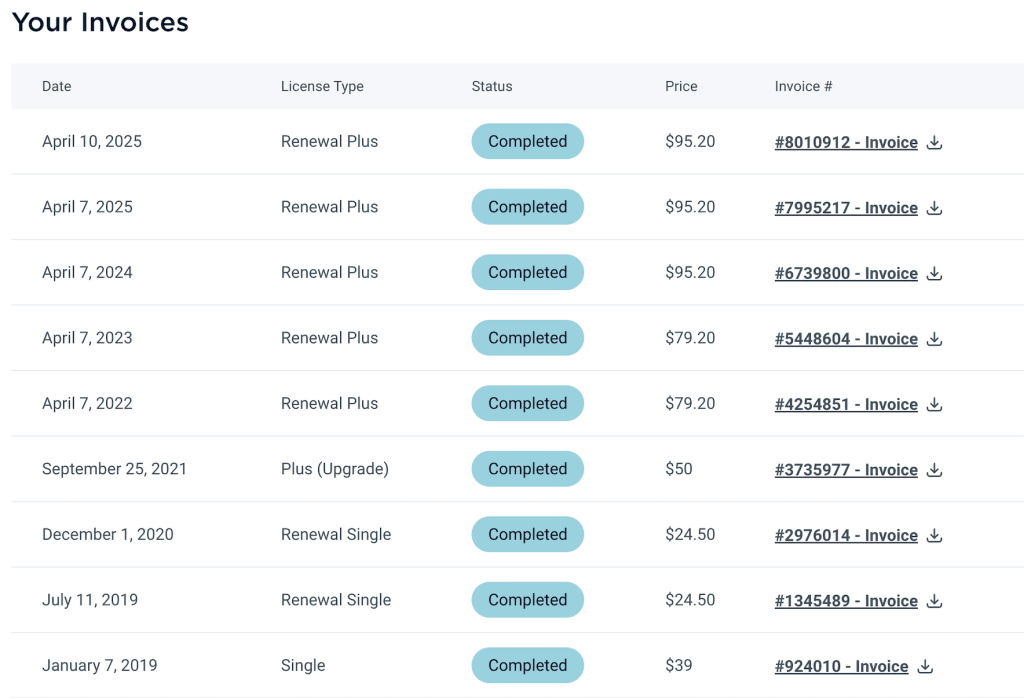
I have been using the WP Rocket plugin on all my sites.
There is no doubt that WP Rocket enhances the performance of a WordPress site.
If you have a budget, then you can consider it for sure. Otherwise, there are free alternatives out there that can also do some speed work.
The key question is: Can it increase the page speed score?
Well, let’s check out…

Table of Contents
My Website Loading Speed on Mobile & Desktop Devices (Before and After WP Rocket)
Today, I am showing you the benchmarks of my main website.
Here the WP Rocket has been installed for many years.
I am using the GeneratePress theme on this site. There are 30 active plugins, and currently, no third-party page builder plugin is installed.
With 30 plugins activated, you might consider the site relatively heavy.
With this, you can estimate how much performance boost you might expect on your own site after applying WP Rocket’s configurations
For performance optimization, I am also using the free ShortPixel Image Optimizer plugin. This specifically helps improve image delivery and loading efficiency.
The testing is done by Google Page Speed Insights tool.
Anyway, as of now, if I am unplugging the WP Rocket back and after these are the benchmarks I am getting…
| Category | Metric / Issue | Before WP Rocket | After WP Rocket | Improvement |
|---|---|---|---|---|
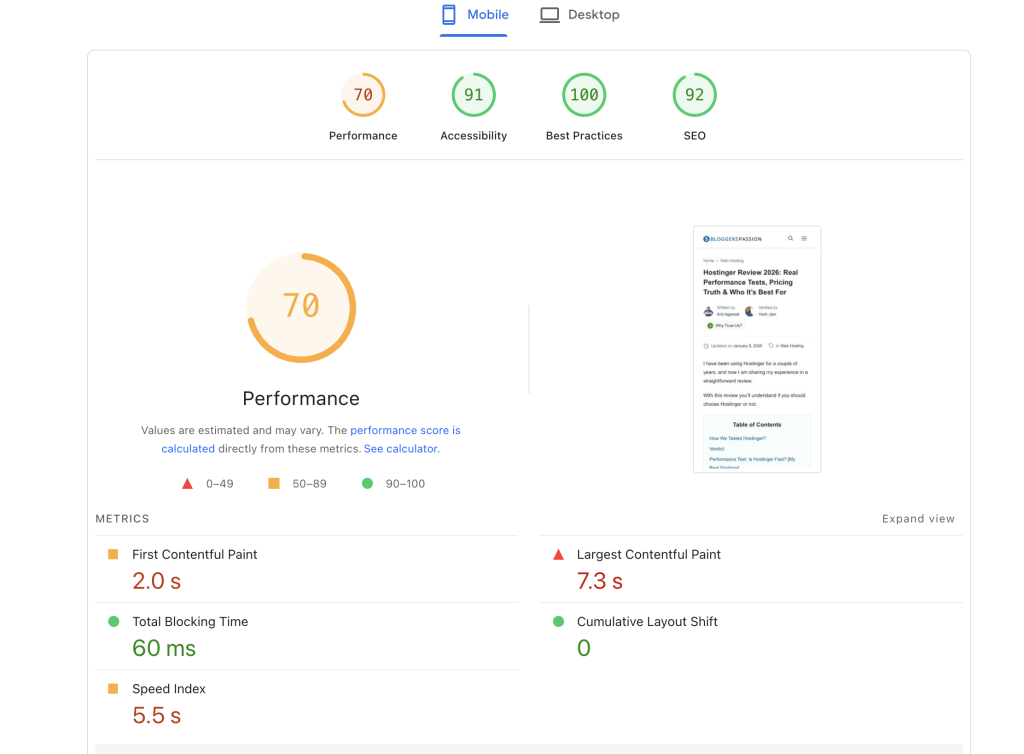
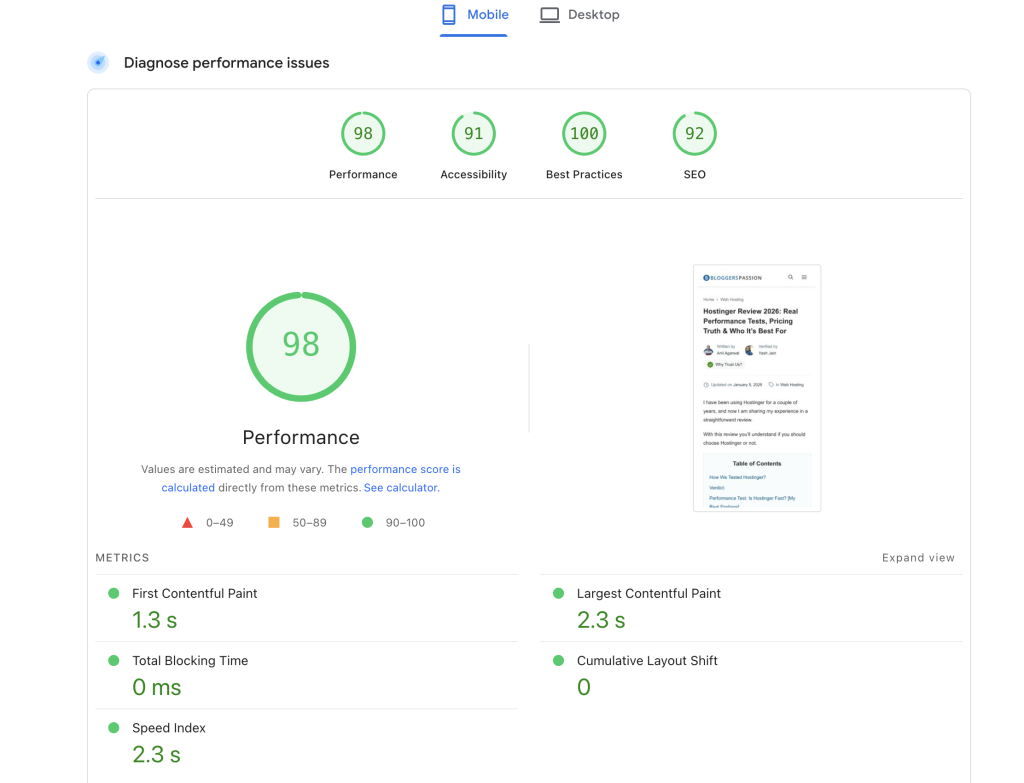
| Performance Score | PSI Performance | 70 | 98 | +28 points |
| Core Web Vitals (Field Data) | CWV Assessment | Passed | Passed | Stable |
| Largest Contentful Paint (LCP) | 2.0 s | 2.0 s | Maintained | |
| Interaction to Next Paint (INP) | 154 ms | 154 ms | Maintained | |
| Cumulative Layout Shift (CLS) | 0 | 0 | Stable | |
| First Contentful Paint (FCP – field) | 1.8 s | 1.8 s | Stable | |
| Time to First Byte (TTFB – field) | 1.1 s | 1.1 s | Stable | |
| Lab Metrics | First Contentful Paint | 2.0 s | 1.3 s | Faster |
| Largest Contentful Paint | 7.3 s | 2.3 s | Major improvement | |
| Total Blocking Time | 60 ms | 0 ms | Eliminated | |
| Speed Index | 5.5 s | 2.3 s | Faster | |
| Cumulative Layout Shift | 0 | 0 | Stable | |
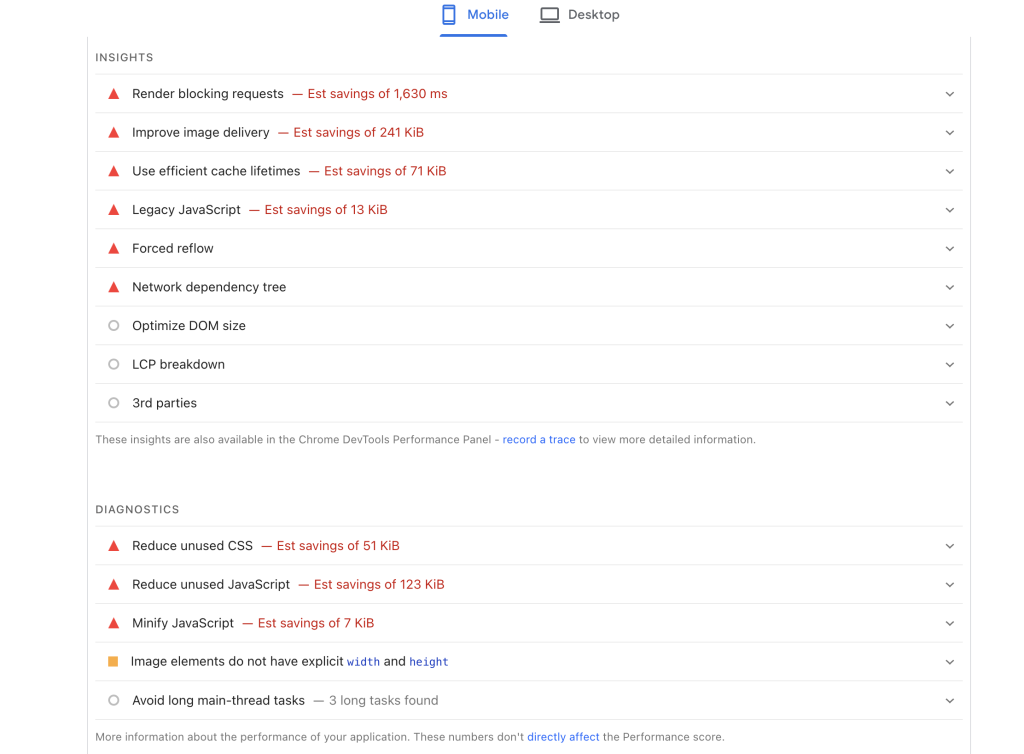
| Opportunities (Before) | Render Blocking Requests | 1,630 ms savings | Removed | Fixed |
| Improve Image Delivery | 241 KiB savings | Reduced to 25 KiB | Optimized | |
| Efficient Cache Lifetimes | 71 KiB savings | Reduced to 30 KiB | Improved | |
| Legacy JavaScript | 13 KiB savings | Not flagged | Removed | |
| Reduce Unused CSS | 51 KiB savings | 12 KiB | Reduced | |
| Reduce Unused JS | 123 KiB savings | Not flagged | Removed | |
| Minify JavaScript | 7 KiB savings | Not flagged | Optimized | |
| Avoid Long Main-Thread Tasks | 3 long tasks | 1 long task | Reduced | |
| Forced Reflow | Present | Still noted | Minor | |
| Network Dependency Tree | Present | Present | Structural | |
| Image width/height missing | Flagged | Resolved | Fixed |
Scenario on Mobile Devices:
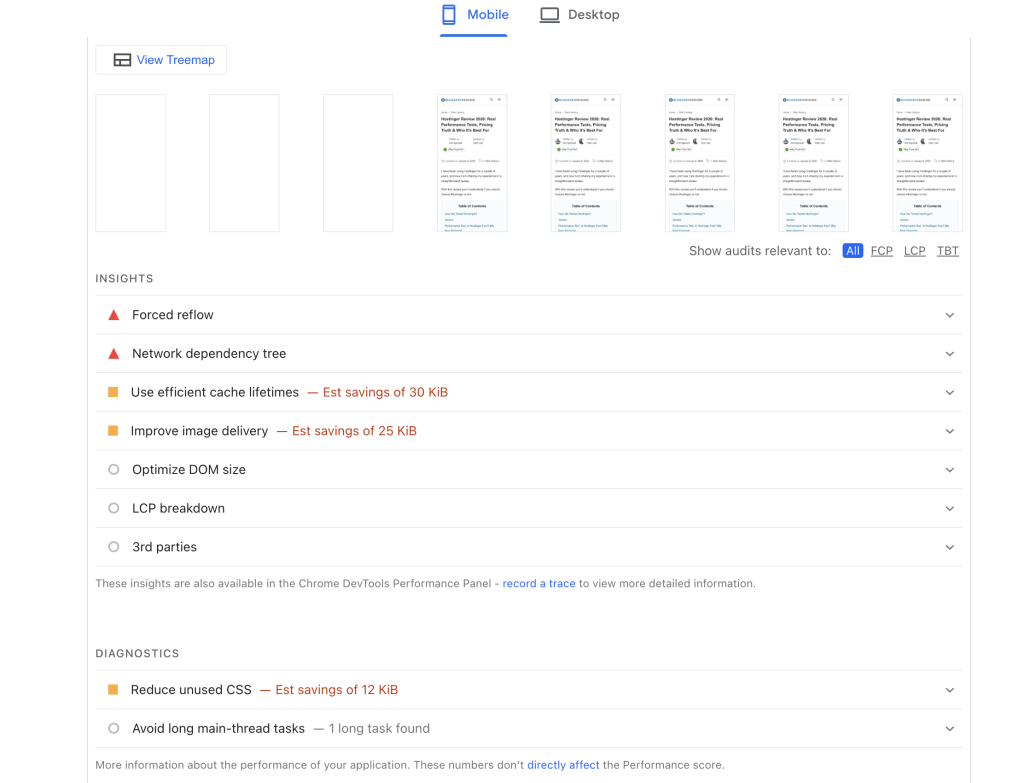
What’s Happening in These Results?
Performance Score Jump: 70 → 98
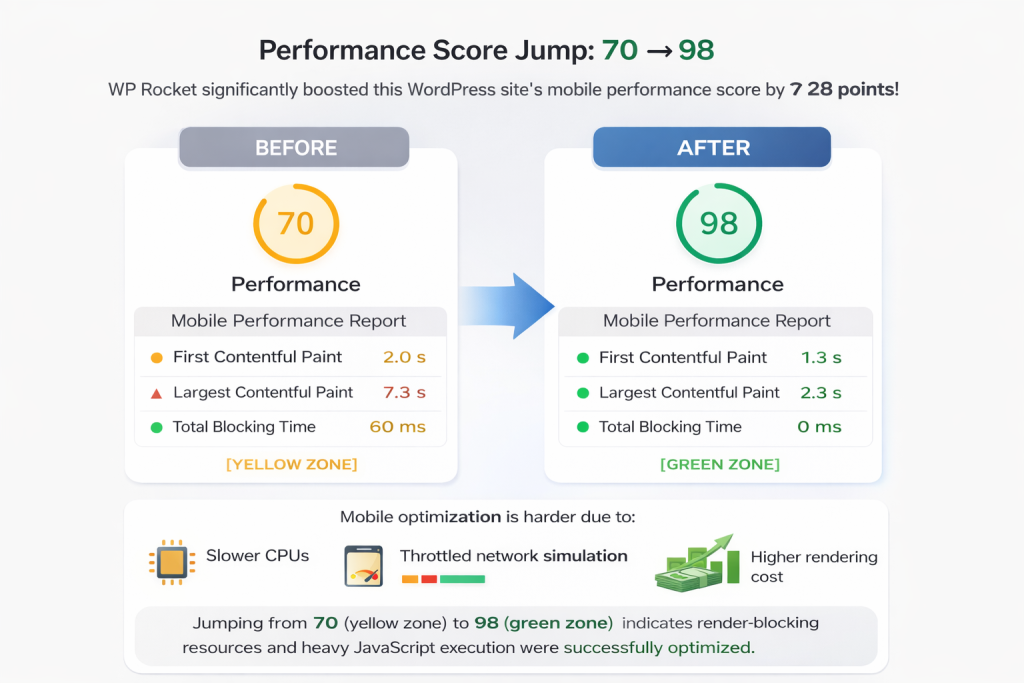
The most visible improvement is the 28-point increase in the mobile performance score.
This is significant because mobile performance is typically harder to optimize due to:
- Slower CPUs
- Throttled network simulation
- Higher rendering cost
A jump from 70 (yellow zone) to 98 (green zone) indicates that render-blocking resources and heavy JavaScript execution were successfully optimized by WP Rocket.
Largest Contentful Paint Improved Dramatically
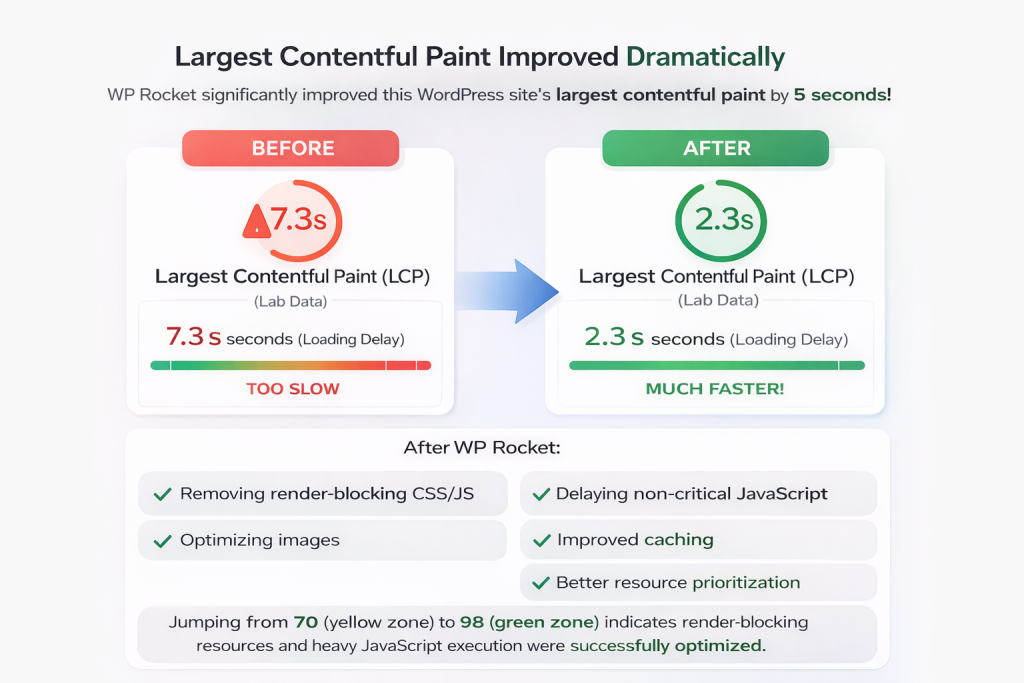
Before optimization, the LCP (Lab) score was 7.3 seconds. This means the main content of the page was visibly loading very late.
After WP Rocket, LCP dropped to 2.3 seconds.
That is a massive improvement and likely the result of:
- Removing render-blocking CSS/JS
- Delaying non-critical JavaScript
- Optimizing images
- Improved caching
- Better resource prioritization
This directly improves perceived speed for users.
Total Blocking Time Eliminated (60 ms → 0 ms)
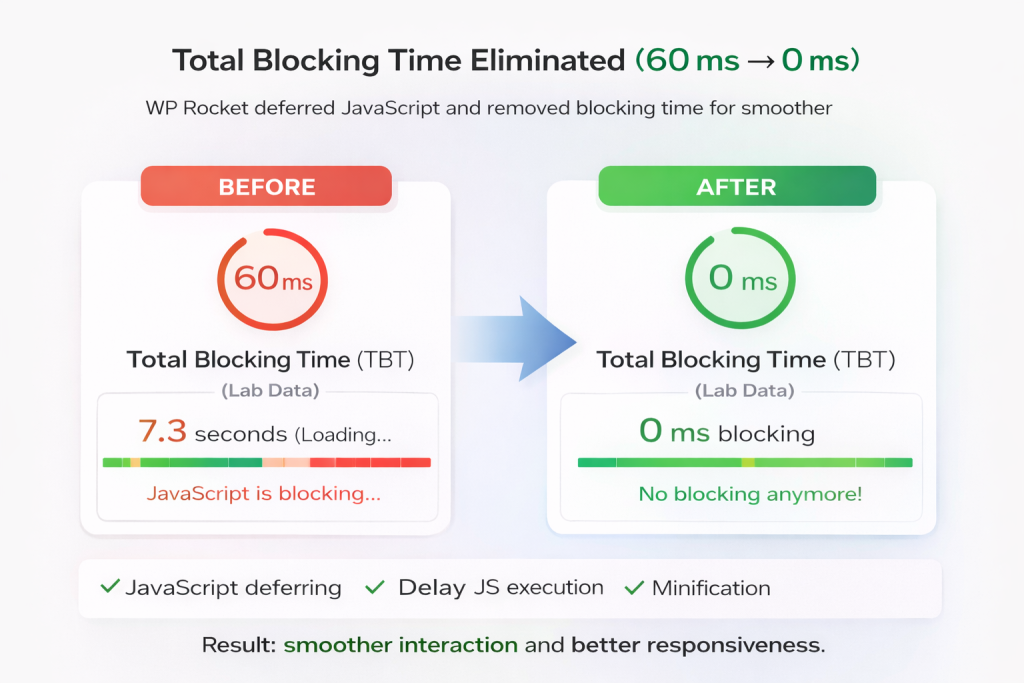
Total Blocking Time measures how much JavaScript blocks the main thread.
The before blocking time was 60 ms and after it was turned 0.
This happened because WP Rocket applied the following optimizations:
- JavaScript deferring
- Delay JS execution
- Minification
- Removal of unused scripts
Speed Index Improved (5.5s → 2.3s)
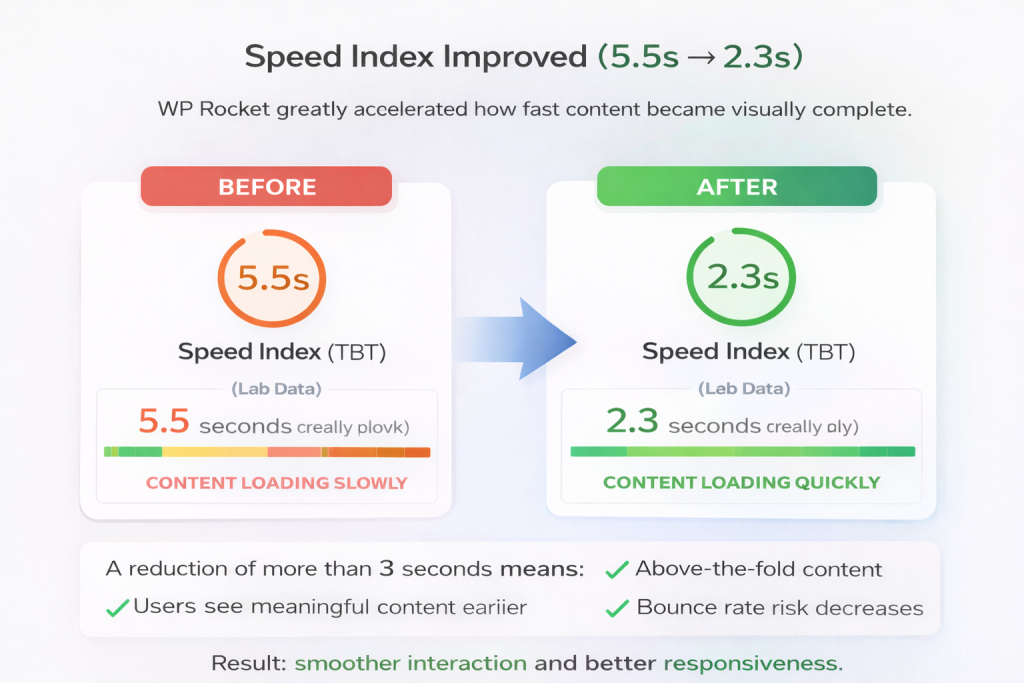
Speed Index measures how quickly content becomes visually complete.
A reduction of more than 3 seconds means my site’s above-the-fold content is now loading faster. The users will see meaningful content earlier. Overall, it also decreases the bounce rate.
Render Blocking & Unused Resources Cleaned Up
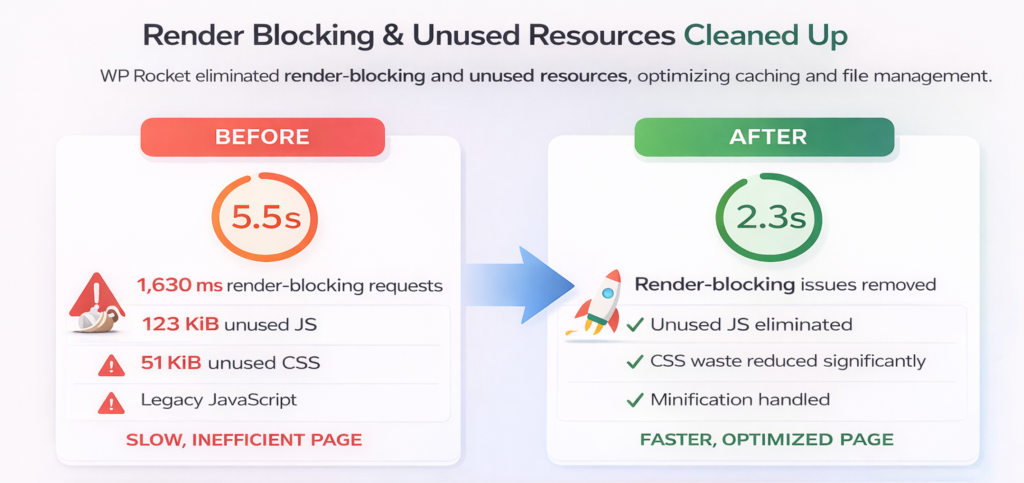
Before optimization, the page had:
- 1,630 ms of render-blocking requests
- 123 KiB unused JS
- 51 KiB unused CSS
- Legacy JavaScript
- Minification issues
After WP Rocket:
- Render-blocking issues removed
- Unused JS eliminated
- CSS waste reduced significantly
- Minification handled
- Image delivery optimized
This confirms that caching, file optimization, and script management techniques have been successfully implemented by the plugin.
Overall, WP Rocket significantly improved the performance from 70 to 98 on mobile devices.. Interestingly, my page already passed Core Web Vitals before WP Rocket.
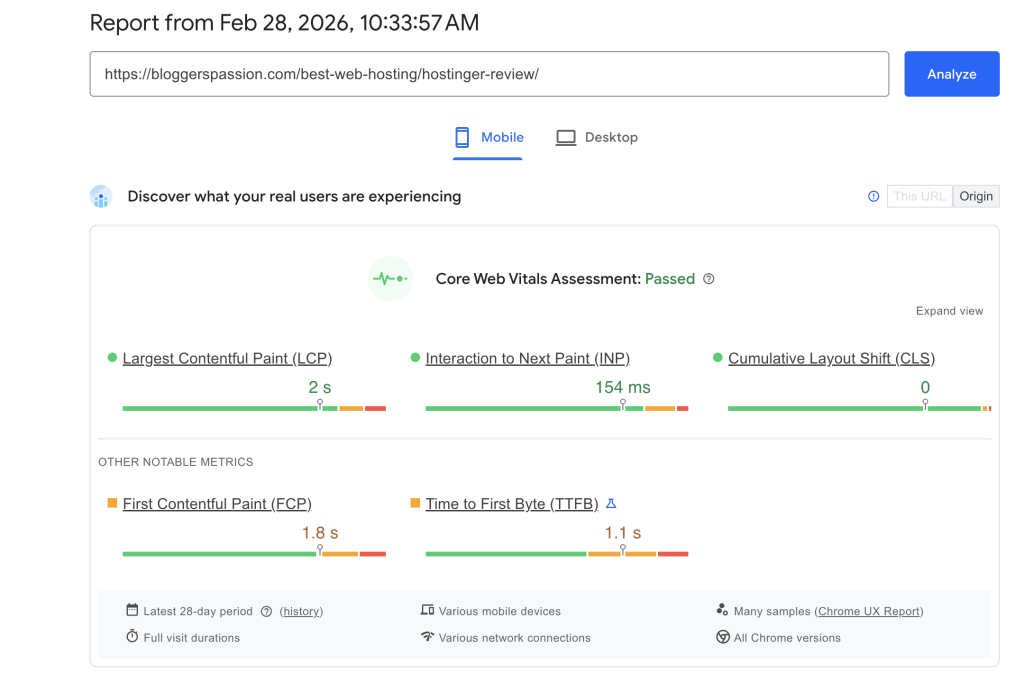
If you see the before and after results carefully, the following problems are now removed by WP Rocket:
- Deferred JavaScript
- Delayed non-essential scripts
- Removed unused CSS
- Minified CSS & JS
- Optimized caching headers
- Improved image handling
- Reduced render-blocking resources
The biggest gain came from improving LCP and eliminating main-thread blocking.
Scenario on Desktop Devices
| Category | Metric / Issue | Before WP Rocket | After WP Rocket | Improvement |
|---|---|---|---|---|
| Performance Score | PSI Performance | 99 | 100 | +1 point |
| Core Web Vitals (Field Data) | CWV Assessment | Passed | Passed | Stable |
| Largest Contentful Paint (LCP) | 2.3 s | 2.3 s | Maintained | |
| Interaction to Next Paint (INP) | 57 ms | 57 ms | Maintained | |
| Cumulative Layout Shift (CLS) | 0 | 0 | Stable | |
| First Contentful Paint (FCP – field) | 2.0 s | 2.0 s | Stable | |
| Time to First Byte (TTFB – field) | 1.7 s | 1.7 s | Stable | |
| Lab Metrics | First Contentful Paint | 0.5 s | 0.4 s | Faster |
| Largest Contentful Paint | 1.0 s | 0.5 s | Improved | |
| Total Blocking Time | 30 ms | 0 ms | Eliminated | |
| Speed Index | 0.9 s | 0.4 s | Faster | |
| Cumulative Layout Shift | 0.003 | 0 | Improved | |
| Opportunities (Before) | Render Blocking Requests | 350 ms savings | Removed | Fixed |
| Efficient Cache Lifetimes | 71 KiB savings | 30 KiB | Reduced | |
| Improve Image Delivery | 47 KiB savings | 25 KiB | Optimized | |
| Legacy JavaScript | 13 KiB savings | Not flagged | Removed | |
| Reduce Unused CSS | 51 KiB savings | 13 KiB | Reduced | |
| Reduce Unused JavaScript | 123 KiB savings | Not flagged | Removed | |
| Minify JavaScript | 7 KiB savings | Not flagged | Optimized | |
| Long Main-Thread Tasks | 2 long tasks | 1 long task | Reduced | |
| Non-Composited Animations | 3 elements | Not flagged | Improved | |
| Forced Reflow | Present | Still noted | Minor | |
| Network Dependency Tree | Present | Present | Structural |
On Desktop, my site was already performing extremely well. WP Rocket acted as a refinement layer.
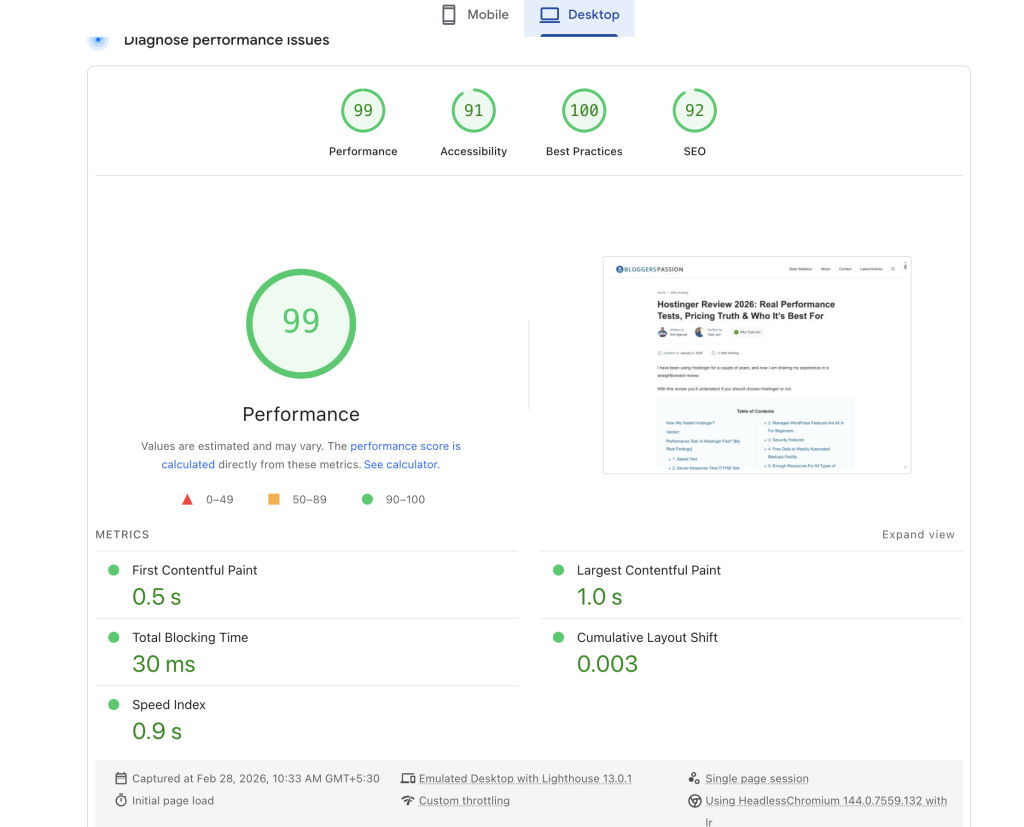
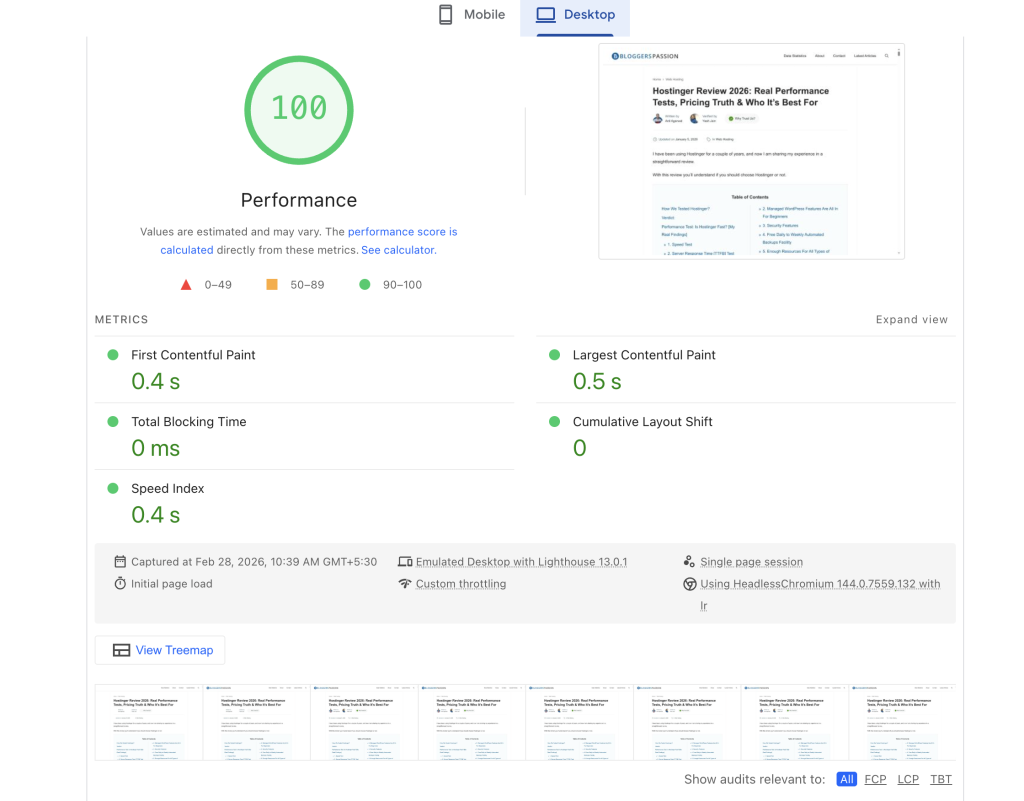
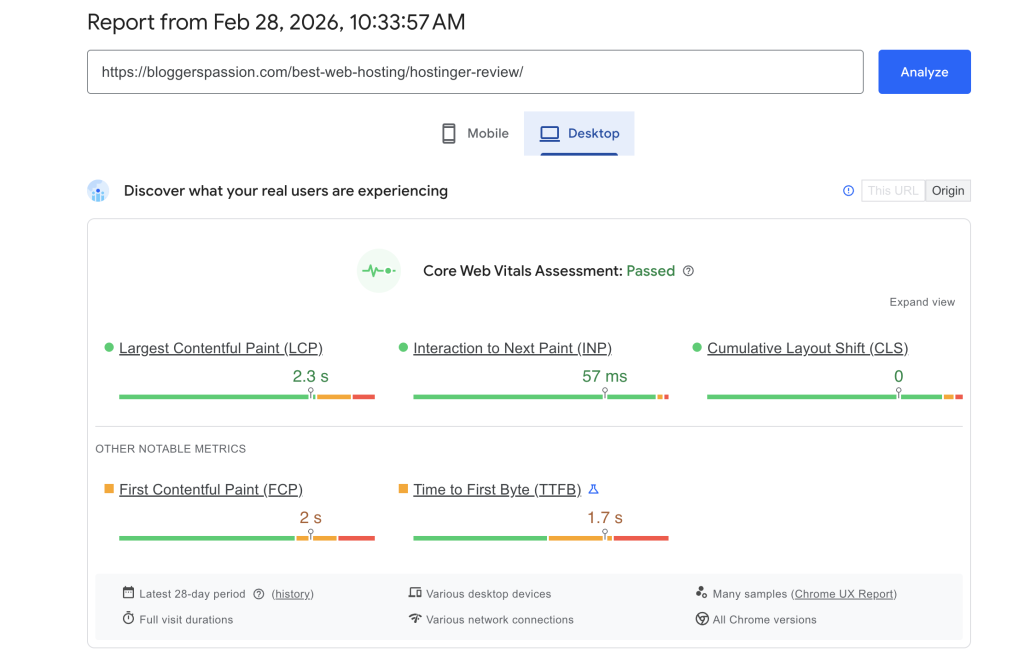
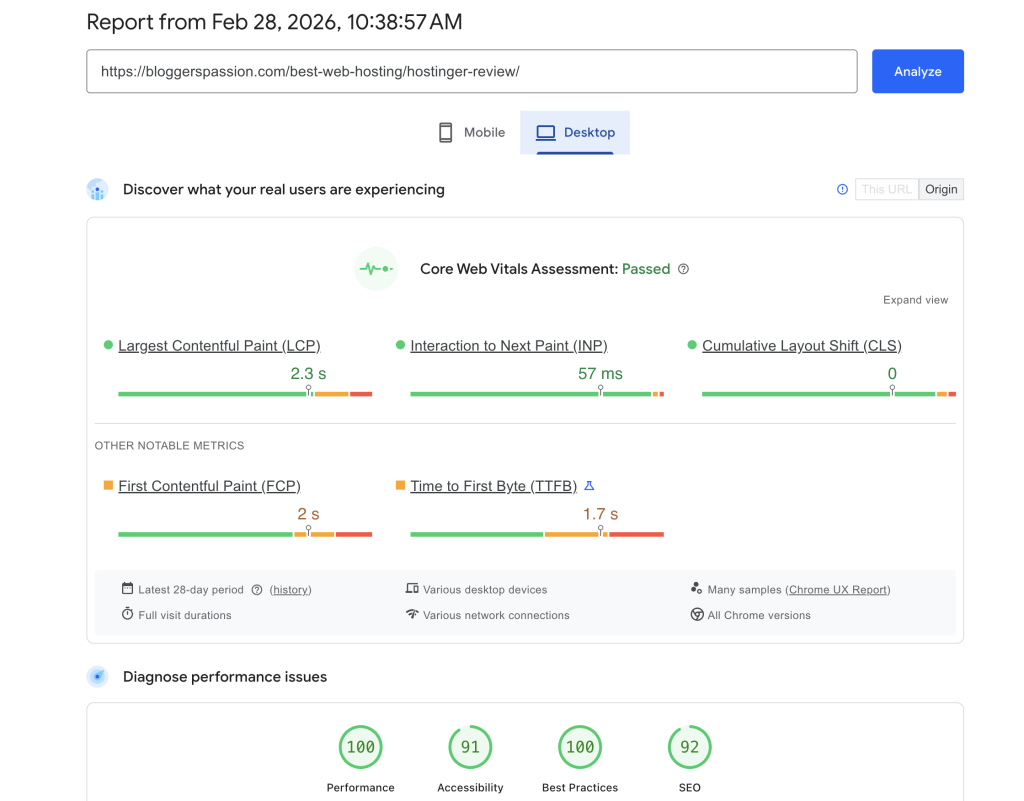
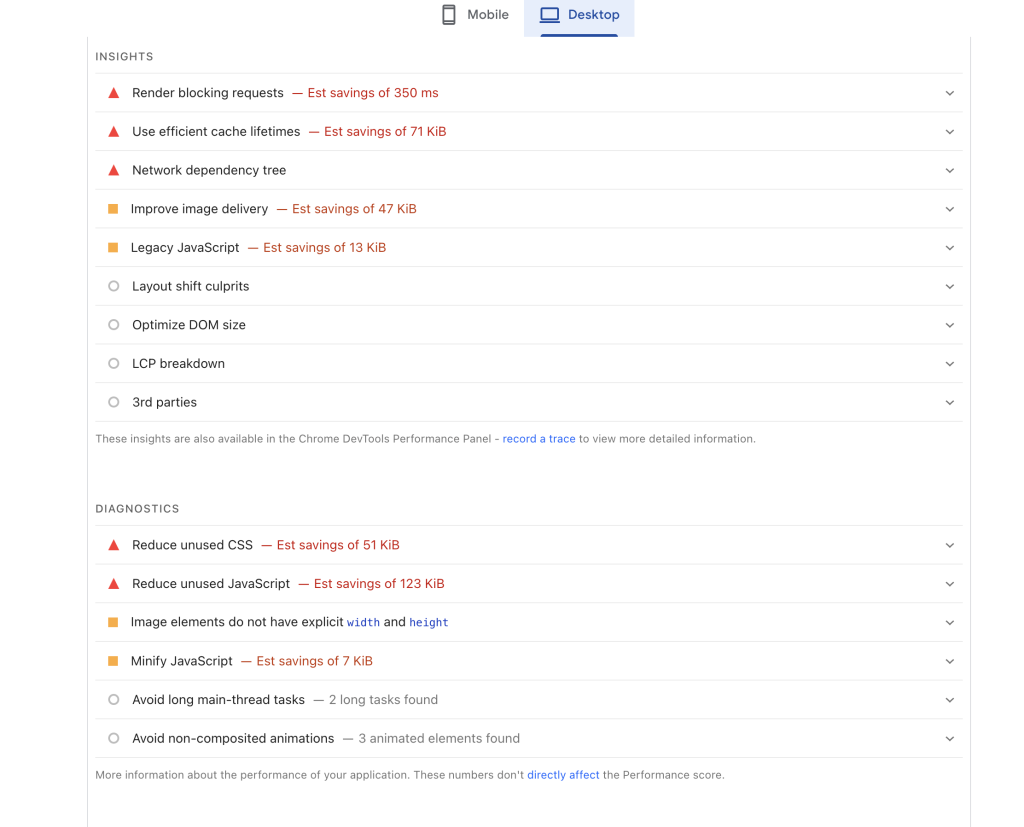
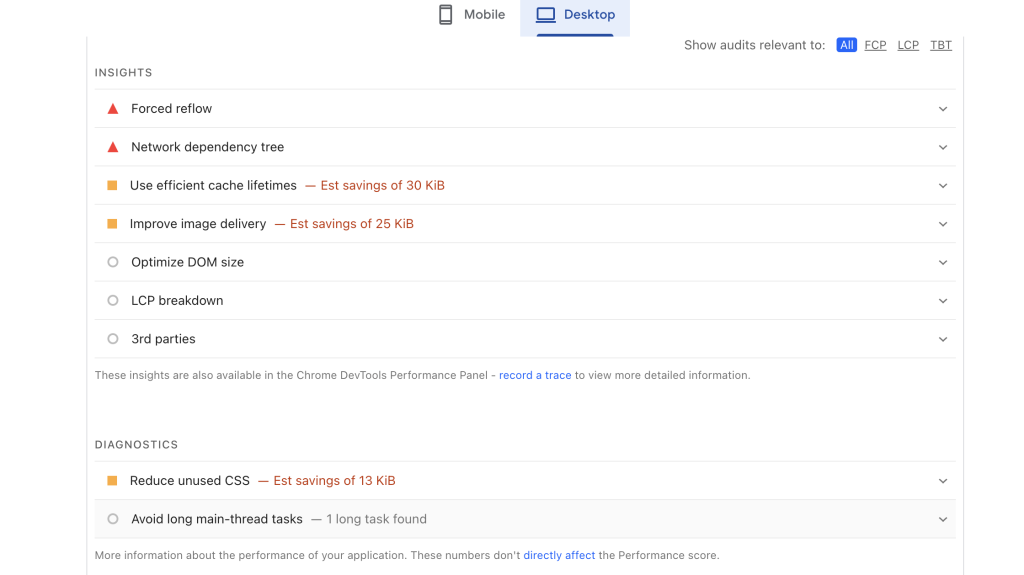
Upon analysis, it seems to me that WP Rocket eliminated the remaining blocking time (30 ms to 0 ms), Reduced 50% LCP (1.0 s to 0.5 s), and cleaned unused resources.
WP Rocket Plugin Settings & Configurations
The advantage of using WP Rocket is it applies 80% optimization as soon as you activate it on your site.
Upon activation, it enables essential techniques, including:
Page & Browser Caching, which serves a cached static version of your original page to visitors. It basically eliminates the need to reload scripts every time and significantly reduces load time.
By applying the GZIP compression, it also reduces the file sizes of your web page. Again, it enhances the performance.
The user interface is very clean and intuitive. You can easily understand what each feature does and how it impacts your website.
You only need to tweak a few settings, and you can achieve strong results as well—similar to those shared above.
For example, it is best to check on Minify CSS files, Optimize CSS Delivery, and Delay JavaScript execution.
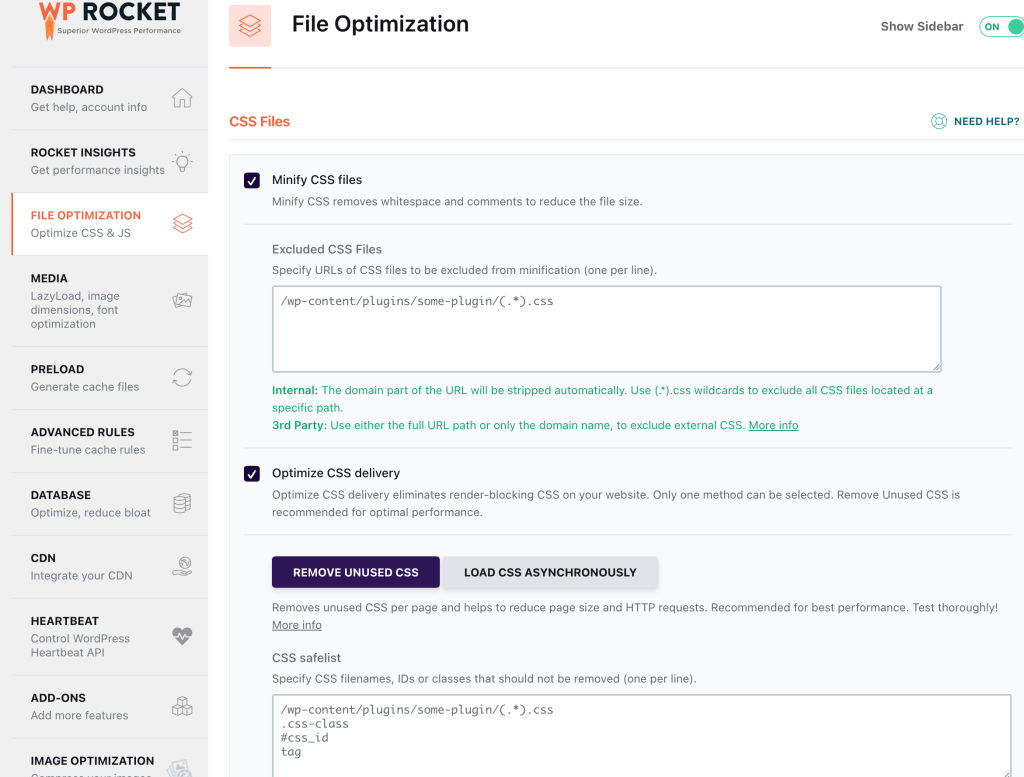
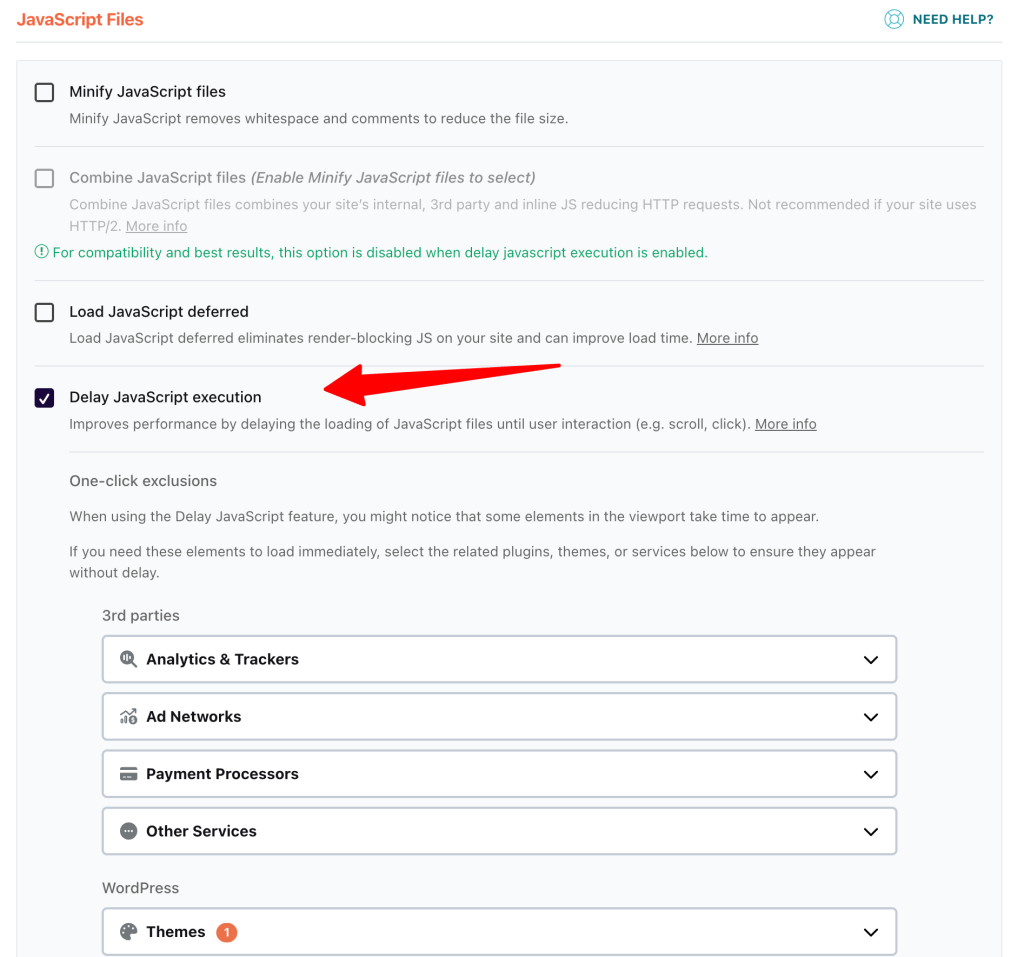
In your Google PageSpeed report, any problematic CSS or JavaScript files can be easily resolved by adding them to the CSS Safelist or the Delay JavaScript Execution section.
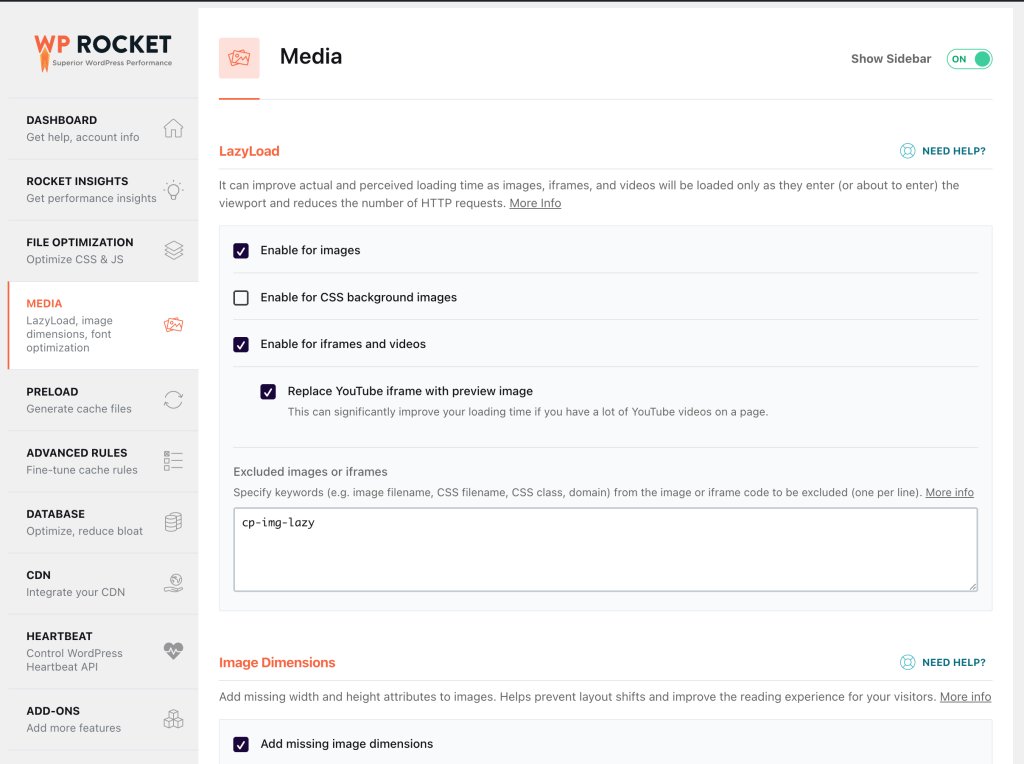
If you are not using any image optimization plugin, you can enable features like Lazy Load.
This ensures that images load only when needed, helping your pages appear faster to users.
WP Rocket also supports preloading, a feature that is typically available only in premium performance optimization plugins.
When enabled, it automatically generates and stores cached versions of your website pages in advance.
As a result, when a user visits your site, they are served a preloaded cached version instead of triggering a fresh page load.
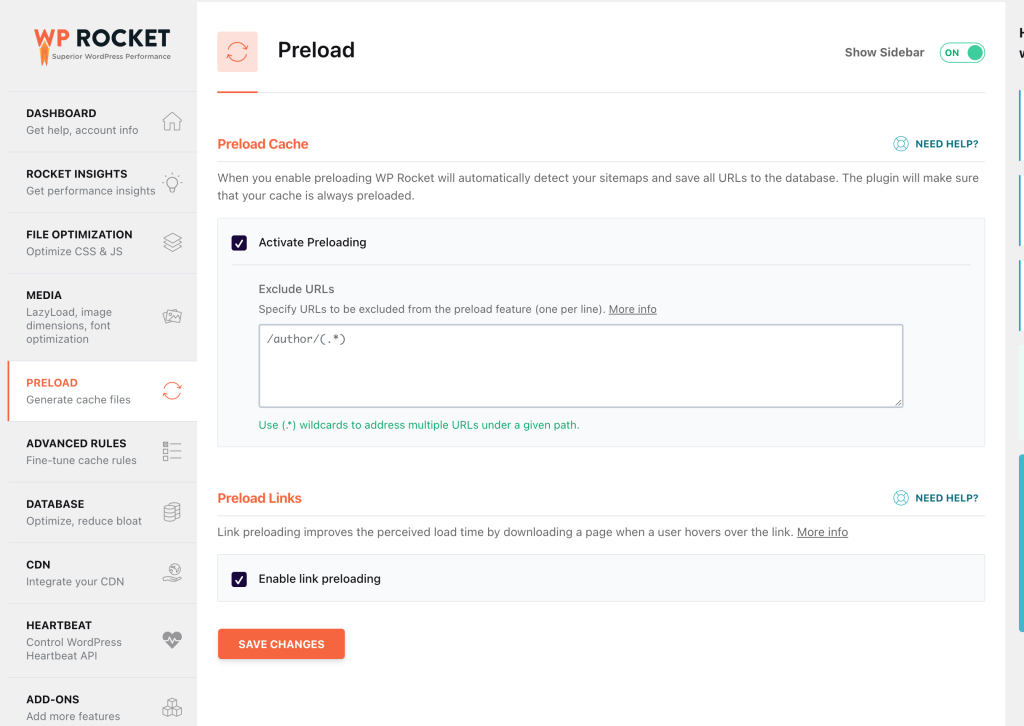
These are some of the key settings you should ensure are properly configured.
Apart from these, you can leave tabs such as Database, CDN, Heartbeat, and Image Optimization at their default settings without making unnecessary changes.
WP Rocket automatically applies the most suitable configurations for your site.
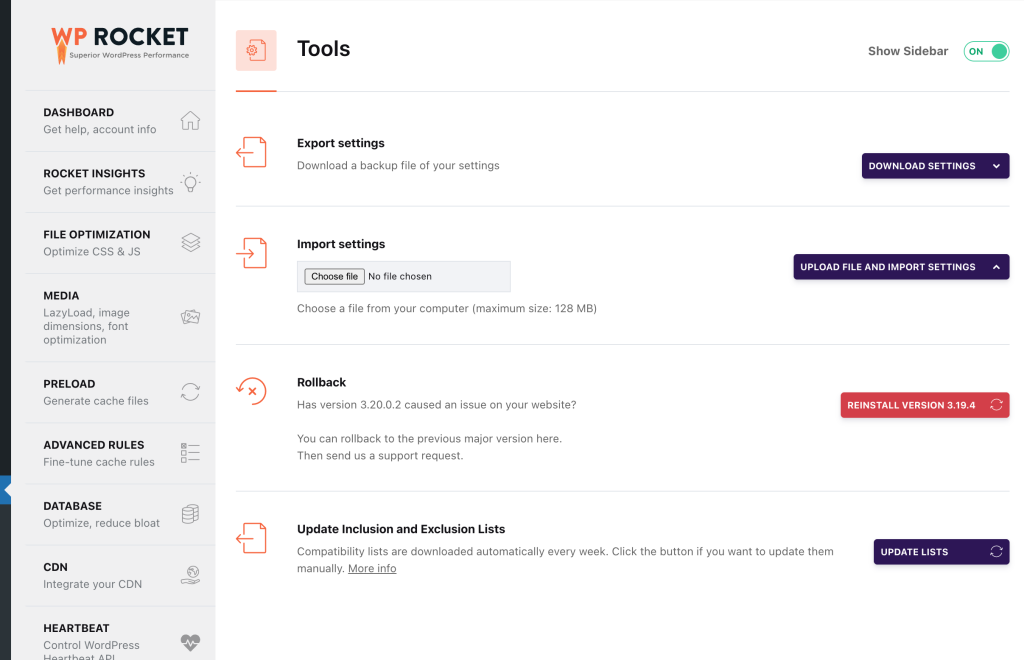
If you manage multiple websites, you can export the WP Rocket settings from one site and import them into another.
This saves considerable configuration time and is a very convenient feature offered by WP Rocket.
You only need to complete this basic configuration, and your website’s performance health will improve significantly.
Most free alternatives require enabling multiple technical settings, which are generally better understood by developers.
If you do not have a developer, WP Rocket one-click configuration can be a game-changer for beginners.
If you need help, I guess you don’t have to contact their support. Their knowledge base or fb group has enough resources for everyone.
Pricing
WP Rocket is not a free plugin.
If you come across a “free” version from unofficial sources, avoid downloading it, as it may compromise your website’s security.
Their official plans are straightforward, starting at $59 per year.
All plans provide the same core optimization features, which makes their pricing structure simple and transparent.
- Single Plan: $59/year (1 Website)
- Plus Plan: $119/year (3 Websites)
- Multi Plan: $299/year (50 Websites)
I wish they offer lifetime plans. But let’s hope for the best.
Explore pricing plans in detail (20% OFF Coupon Attached)
Pros and Cons:
| Pros | Cons |
| The plugin has proven to improve performance as advertised. | The free version is not available |
| Most optimizations are applied automatically upon activation. Beginners can save their time and money by avoiding the need of developers. | If your desktop score is already very high, the improvement may feel marginal. |
| Works for heavier sites, and it is compatible with most of the WordPress themes | There is no lifetime plan, so it requires annual renewal. |
WP Rocket Alternatives
If you feel WP Rocket does not work for you, try these instead:
NitroPack is often highlighted as the best all-in-one alternative because it handles not just caching, but also image optimization, CDN delivery, and advanced performance settings automatically without much configuration.
But do remember, it is a little bit more expensive than WP Rocket.
Another alternative is FlyingPress. They also offer hosting. Their top features are code minification, lazy loading, and script deferment. The good thing is that it offers a free trial.
If you prefer a free version with limited performance optimization plugins, then W3TC should be your choice. It ranked top on the WordPress plugin repository.
Bottom Line: Is WP Rocket Worth $59/year?
WP Rocket has proven its effectiveness for most users.
If you are a beginner and want strong performance improvements with minimal configuration, you can confidently install it. It is worth the investment.
However, one important point to remember is that your hosting server must also be reliable and powerful.
Without it, you may not achieve the best possible results.
If you ask me, you can choose WPX. I am not recommending it. I am sharing what I use.
If you still have doubts about WP Rocket, you can always try other free caching plugins.
FAQs:
Does WP Rocket work without strong hosting?
No performance plugin can fully compensate for weak hosting. For best results, WP Rocket should be used alongside a speed oriented hosting server.
Can free caching plugins provide similar results?
Free plugins can handle basic caching, but they often require more manual configuration.
Does WP Rocket require advanced technical configuration?
No. Most optimizations are automatically applied upon activation
Do you still need an image optimization plugin with WP Rocket?
Yes. WP Rocket supports lazy loading and if you use a dedicated image optimization plugin (like ShortPixel) further improves image compression and delivery efficiency.
Explore More: